Category: Blog

  • The Age of Reasoning: AI’s Evolution from Augmentation to Transformation

    The Age of Reasoning: AI’s Evolution from Augmentation to Transformation

    Some time during the summer of last year there were rumours that the current architectures for language models and AI were hitting a wall. When GPT-3 first came out, it amazed us with its ability to generate human-like text, enabling people to produce more work, faster.

    Soon we had Claude, Gemini, and other language models. Stable Diffusion came out with image models. We also got multi-modal models like GPT-4o. These models were powerful tools for augmentation, helping with tasks from writing to image generation and even coding.

    But things seemed to slow down for a bit. Sequoia asked about AI’s $600B Question. Newer models and updates didn’t seem to have the same impact as the jump from GPT 2 to 3, or even 3 to 4. Many wondered if the scaling laws would hold even as big AI companies poured more money into training larger models.

    And then we discovered something. Giving models more compute during inference (letting it think about a problem) dramatically improved results. This gave us reasoning models, first seen in OpenAI’s o1 model last September, o3 in December, then Gemini 2.0, DeepSeek, Grok 3, and now Claude 3.7.

    In this article, we’ll define reasoning AI, explore its technical underpinnings, and assess its implications for work and life. We’ll then scrutinize its limitations, look ahead to its future, and conclude with reflections on this pivotal moment.

    What is Reasoning in AI?

    At its core, reasoning in AI refers to the ability of a model to solve problems by breaking them down into logical, step-by-step processes. This is akin to human cognition, where we think through a problem, consider various angles, and arrive at a solution through a series of reasoned steps.

    In contrast, traditional generative AI models, while impressive in their ability to produce coherent text, often lacked the depth required for complex problem-solving. They could mimic human language but struggled with tasks that demanded structured thinking, such as solving a math word problem or debugging a piece of code.

    Chain Of Thought

    The breakthrough came with the development of techniques like Chain-of-Thought (CoT) prompting. Introduced by researchers in 2022, CoT encourages models to “think aloud” by generating intermediate steps before arriving at a final answer.

    This simple yet powerful method dramatically improved the performance of LLMs on reasoning tasks. For example, on the GSM8K benchmark—a dataset of grade school math problems—CoT increased the accuracy of GPT-3 from 15.6% to 46.9%. This was a clear signal that models could be taught to reason, not just generate.

    Variations of CoT include zero-shot CoT, where models are prompted with “Let’s think step by step” without examples, and code-based reasoning, where models trained on code (e.g., Codex) perform better when reasoning is framed as code generation. Self-consistency and tool-based evaluation, such as using Python for math verification, further enhance accuracy.

    Reinforcement Learning

    But CoT was just the beginning. In January 2025, DeepSeek made waves showing how the integration of reinforcement learning (RL) matched OpenAI’s o1 models at 95% lower cost. OpenAI later admitted this is what they used to train their reasoning models as well.

    RL allows AI systems to learn from feedback, refining their reasoning processes over time. It optimizes their chain-of-thought processes, enabling them to tackle increasingly complex tasks. RL could be applied during training, using a reward model to score sub-tasks, or during inference, dynamically evaluating reasoning paths.

    For instance, o1 achieved an astonishing 83% accuracy on International Mathematics Olympiad problems, compared to just 13% for its predecessor, GPT-4o. Similarly, Grok 3 claims to outperform leading models in math, science, and coding benchmarks.

    The New Reasoning Models

    The landscape of LLMs has shifted toward models optimized for reasoning, particularly since late 2024. This new age is characterized by models that prioritize step-by-step problem-solving, aligning with human cognitive processes. These systems don’t just assist; they think, solving problems with human-like logic.

    • OpenAI o1 and o3: o1, initially a preview model, was fully released by December 2024, with o3 enhancing capabilities. These models are trained to generate long chains of thought, achieving 83% accuracy on International Mathematics Olympiad qualifying exam problems, compared to 13% for GPT-4o. They use reinforcement learning (RL) to refine CoT, as noted in OpenAI’s documentation, enabling them to tackle complex tasks in math, science, and coding.
    • Gemini 2.0 Flash Thinking: This is part of Google’s Gemini 2.0 family of models, launched as an experimental release in December 2024, with updates rolled out in January and February 2025. It’s optimized for low latency, meaning it processes tasks quickly despite its reasoning focus.
    • DeepSeek-R1: Released in January 2025, DeepSeek-R1 is a 671-billion-parameter open-weight model, performing comparably to o1 but at 95% lower cost. This model is designed for tasks requiring complex reasoning, mathematical problem-solving, and logical inference, making it accessible for research and development.
    • Grok 3: Released by xAI in February 2025, Grok 3 is claimed to outperform leading models like GPT-4o, DeepSeek’s V3, and Claude in math, science, and coding benchmarks. Trained with 10 times the compute power of its predecessor, Grok 2, it uses reinforcement learning to enhance reasoning capabilities and introduces “Deep Search,” a next-generation search engine. It achieved an Elo score of 1402 in the Chatbot Arena, indicating strong performance across academic and real-world user preferences, according to xAI’s blog.
    • Claude 3.7 Sonnet: Also released in February 2025 by Anthropic, Claude 3.7 Sonnet is described as the first “hybrid reasoning model,” offering both quick responses and extended, step-by-step thinking. It’s state-of-the-art for coding and delivers improvements in content generation, data analysis, and planning, available on Anthropic’s API, Amazon Bedrock, and Google Cloud’s Vertex AI.

    I have tried all these models and found them to be on par with each other in terms of quality of output across tasks such as creative writing, logic and reasoning, and coding. My personal preference is Claude because I think it has a personality, but I’m extremely impressed by Grok’s DeepSearch feature. Meanwhile, it’s clear that OpenAI is moving into general-purpose agentic behavior, while Gemini is focusing on speed and lower cost.

    Standardized Benchmarks

    We don’t have numbers across all benchmarks for every model but here’s the best I could find so far (thanks Grok DeepSearch!)

    ModelMath (AIME)Science (GPQA)Coding (HumanEval)Reasoning (MMLU)General Performance (ELO)
    OpenAI o396.7% 87.7%71.7% (Bench Verified)N/AN/A
    DeepSeek R171.0%73.3%Lower than o1N/AN/A
    Gemini73.3%74.2%N/AN/AN/A
    Grok 393%~80-85%N/AN/A1402
    Claude 3.7N/AN/A92%88.7%N/A

    Another fun benchmark is SnakeBench, by Greg Kamradt, which pits models against each other in a competitive snake game simulation. It mostly tests reasoning and coding, and Claude 3.7 come out on top.

    https://twitter.com/GregKamradt/status/1894179293292622312

    Application of Reasoning AI

    Generative AI amplified output; reasoning AI unlocks autonomous problem-solving and entirely new cognitive capacities, such as abstract reasoning and hypothesis generation.

    Scientific Research

    Combining reasoning with search gives us something powerful – a research agent that can take in a query, think about it, search down multiple paths, synthesize information, and continue going down new path and making connections, just like a human researcher would.

    An example of this is the AI co-scientist released by Google, which is already showing promising results in medicine and drug research.

    Knowledge Work

    Reasoning AI can handle knowledge work traditionally performed by human experts, such as legal research, financial analysis, and medical diagnostics. When you add function calling, tool handling, and memory, you get an agent that can perform an entire workflow, like researching a stock, analyzing data, and creating a full report.

    Education

    Reasoning AI’s strengths in solving complex problems and coding can transform the way we learn. Imagine an AI that helps you work through problems or codes an interactive application to illustrate new concepts. Even the thinking process of these models is enlightening.

    The Implications of Reasoning AI

    Reasoning AI will revolutionize the work and life by automating cognitive tasks, redefining job roles, and driving productivity gains, though it will also bring disruptions that society must address.

    Shift in Job Roles

    While some lower-level jobs may be eliminated entirely, I believe many more will be transformed. New roles will emerge, such as AI strategy curators or human-AI collaboration specialists, who will oversee AI outputs and ensure they align with human needs. For instance, while AI might draft a legal contract, a human lawyer will still be needed to interpret client nuances and ethical considerations. This evolution mirrors past technological shifts, where new job categories arose alongside automation.

    Productivity and Economic Impact

    The efficiency boosts from reasoning AI could rival the transformative effects of the internet or industrial automation. Businesses might see productivity improvements of 20-30%, driving economic growth. However, this could also disrupt labor markets, potentially displacing 15-20% of knowledge workers by 2030 according to some estimates. To mitigate this, large-scale re-skilling initiatives will be essential to help workers adapt to new demands.

    Personalized Assistance

    Imagine an AI that optimizes your day based on your goals, preferences, and real-time data like traffic or weather. Reasoning AI could manage tasks with a level of sophistication beyond current tools, potentially saving individuals 5-10 hours per week. For example, it could plan your week to balance work, exercise, and relaxation, adapting as priorities shift.

    Creative and Leisure Activities

    In creative pursuits, reasoning AI could act as a collaborator. Writers might use it to brainstorm plot ideas, while musicians could generate harmonies, blending human intuition with AI’s logical capabilities. This partnership could enrich leisure time, making creative expression more accessible and dynamic.

    Current Limitations and Challenges

    Reasoning AI faces hurdles that must be addressed, including ethical considerations that demand careful attention.

    Generalization

    Specialization limits versatility. o1 excels in math (83% IMO) but falters in general queries, while Claude 3.7’s hybrid approach sacrifices depth for speed in some cases. Achieving broad reasoning still remains elusive.

    Ethics and Bias

    As with any AI system, there are always biases that creep in based on the training data. Techniques like RL may even amplify these biases in reasoning AI.

    There’s also the potential for misuse. Users on X have noted that Grok 3 will generate complete step-by-step instructions on making weapons and dangerous chemicals at home.

    Of course, the cat’s already out of the bag. DeepSeek is completely free and open-source, which means anyone can train their own models to output dangerous or biased content.

    So What Does The Future Hold?

    I think we’re just scratching the surface of implementing reasoning in AI. Continued advancements in techniques like reinforcement learning and chain-of-thought prompting are likely to produce even more capable models, potentially leading to AI systems that can reason across a broader range of tasks. We may see the development of more general reasoning models that can handle everything from scientific research to creative writing, blurring the lines between specialized and general AI.

    The most exciting applications would be the integration of reasoning AI with other technologies—such as robotics or the Internet of Things (IoT)— which could enable AI to perform physical tasks, further expanding its role in the world. Imagine AI-powered robots that can reason through complex environments, making decisions in real-time to complete tasks like disaster response, space exploration, or even just serving you a cup of tea at home.

    However, the path forward is not without challenges. The ethical implications of AI that can replace human knowledge workers must be carefully considered. Workforce displacement, data privacy, and the potential for misuse of autonomous AI agents are all issues that will require thoughtful solutions. Additionally, ensuring that these technologies are accessible and affordable will be key to preventing a new digital divide.

    The age of reasoning AI represents a monumental shift in the capabilities of artificial intelligence. We are moving from a world where AI augments human work to one where it can potentially replace entire categories of knowledge work.

    As we stand on the brink of this new era, one thing is clear: AI is no longer just a tool; it is becoming a partner in problem-solving, capable of thinking, reasoning, and acting in ways once thought to be uniquely human.

  • From Internal Memo to Public Story: Building a Content Agent for VCs

    From Internal Memo to Public Story: Building a Content Agent for VCs

    I was speaking to a VC last month and they mentioned their marketing strategy is to publish their investment memos as blog posts.

    It’s really one of the best ways for a VC to grow their brand. Bessemer and other big funds do it often.

    The only problem is it takes time. Smaller VCs don’t have the bandwidth or resources to turn their private investment memos into public ones.

    The VC I spoke to said it took them hours to remove sensitive information from their investment memos, and rewrite them in a consistent style for the blog. So they weren’t able to do it consistently.

    Well, AI can solve that. Today, we’ll build an AI agent that automates this process using Claude and modern web scraping tools.

    The Solution

    I built a fully autonomous agent for the VC that gets triggered when they create a new investment memo and automatically publishes a draft post to their blog. This entire workflow is invisible and sits inside their operations.

    For the purposes of this blog post, I’m going to simplify it. Instead of automatically triggering it (since I don’t know what your operations look like), we’ll create an interface with Streamlit where you can manually trigger it.

    Our interface will:

    • Accept investment memos in various formats (text, PDF, DOCX)
    • Use Claude to identify and remove sensitive information
    • Scrape the company’s website for public information
    • Generate a polished blog post matching your writing style
    • Provide easy export options for the final content

    Implementation

    Setting Up the Project

    This entire project with code is open source on my GitHub for you to clone and run locally. After that you can modify the code and customize it to your fund.

    You can also take the core agent logic and have it triggered by your existing workflow and even publish to your website.

    I’ve set up the files with this structure:

    Python
    memo-converter/
    ├── requirements.txt
    ├── README.md
    ├── .env
    └── src/
        ├── __init__.py
        ├── main.py
        ├── interface.py
        ├── fetcher.py
        ├── sanitizer.py
        └── generator.py

    The Interface file is the code for our Streamlit interface. You can upload your investment memo to it, enter the URL of the company you’re investing in, and also upload a blog post whose style you want to match (ideally one of your own).

    Fetcher fetches more information about the company you’re investing in. Sanitizer cleans your investment memo. Generator creates the blog post.

    At the end of it, the Interface display the final post.

    Building the Interface

    The interface.py file is where we’ll create our Streamlit interface. Streamlit is an open-source Python package that makes it easy to build visual interfaces for data and AI.

    Our interface will provide a clean, intuitive way to input memos and reference content. As you can see in the code, we use tabs to organize different input methods and provide document preview functionality. We’re also going to add a little slider to control how long we want the final blog post to be.

    Python
    def create_interface(self) -> Dict:
           st.title("Investment Memo to Marketing Blog Post Converter")
          
           # Create tabs for different input methods
           tab1, tab2 = st.tabs(["Paste Memo", "Upload Document"])
          
           # Initialize memo variable
           memo = None
          
           with tab1:
               memo_text = st.text_area(
                   "Investment Memo",
                   height=300,
                   placeholder="Paste your investment memo here..."
               )
               if memo_text:
                   memo = memo_text
                  
           with tab2:
               uploaded_file = st.file_uploader(
                   "Upload Memo Document",
                   type=['txt', 'docx', 'pdf']
               )
               if uploaded_file:
                   memo = self._read_document(uploaded_file)
                   if memo:
                       st.success("Document successfully loaded!")
                       with st.expander("Preview Document Content"):
                           st.text(memo[:500] + "...")
    
    
           # Reference memo input
           st.subheader("Reference Content")
           reference_tab1, reference_tab2 = st.tabs(["Paste Reference", "Upload Reference"])
          
           reference_memo = None
           with reference_tab1:
               reference_text = st.text_area(
                   "Paste a previous public memo for tone/style reference",
                   height=200,
                   placeholder="Paste a previous public memo here..."
               )
               if reference_text:
                   reference_memo = reference_text
                  
           with reference_tab2:
               reference_file = st.file_uploader(
                   "Upload Reference Document",
                   type=['txt', 'docx', 'pdf'],
                   key="reference_uploader"
               )
               if reference_file:
                   reference_memo = self._read_document(reference_file)
                   if reference_memo:
                       st.success("Reference document loaded!")
          
           # Company URL input
           company_url = st.text_input(
               "Company Website URL",
               placeholder="https://company.com"
           )
          
           # Only keep the length slider
           length = st.slider(
               "Target Blog Length (words)",
               min_value=500,
               max_value=2000,
               value=1000,
               step=100
           )
          
           return {
               "memo": memo,
               "reference_memo": reference_memo,
               "company_url": company_url,
               "length": length
           }

    We’re allowing document upload so we need a function to help us read this:

    Python
    def _read_document(self, uploaded_file) -> Optional[str]:
           """Extract text from uploaded document."""
           if uploaded_file is None:
               return None
              
           try:
               file_extension = uploaded_file.name.split('.')[-1].lower()
              
               if file_extension == 'txt':
                   return uploaded_file.getvalue().decode('utf-8')
                  
               elif file_extension == 'docx':
                   doc = docx.Document(io.BytesIO(uploaded_file.getvalue()))
                   return '\n'.join([paragraph.text for paragraph in doc.paragraphs])
                  
               elif file_extension == 'pdf':
                   pdf_reader = PdfReader(io.BytesIO(uploaded_file.getvalue()))
                   text = ''
                   for page in pdf_reader.pages:
                       text += page.extract_text() + '\n'
                   return text
                  
               else:
                   st.error(f"Unsupported file format: {file_extension}")
                   return None
                  
           except Exception as e:
               st.error(f"Error reading document: {str(e)}")
               return None

    Sanitizing Sensitive Information

    The first thing we want to do when our interface accepts a new investment memo is sanitize it and remove sensitive information.

    If you were building this as an agent, you would skip the interface and trigger the agent here.

    Instead of using a rule-based approach, we can just ask an LLM (Claude in this case) to read through it, remove sensitive information, and return a clean version.

    You can use any other LLM. It’s probably more optimal to use a smaller and cheaper model like GPT 3.5 turbo, but I just prefer Claude when it comes to working with content.

    You’ll find this code in sanitize.py:

    Python
    import anthropic
    import streamlit as st
    
    
    class MemoSanitizer:
       def __init__(self, api_key: str):
           """Initialize the Claude client."""
           self.client = anthropic.Anthropic(api_key=api_key)
      
       async def sanitize(self, memo_text: str) -> str:
           """Use Claude to identify and remove sensitive information."""
           try:
               message = self.client.messages.create(
                   model="claude-3-5-sonnet-20241022",
                   max_tokens=8192,
                   temperature=0,
                   system="You are an expert at identifying sensitive information in VC investment memos. Your task is to identify and remove sensitive information while preserving the key insights and analysis.",
                   messages=[
                       {
                           "role": "user",
                           "content": [
                               {
                                   "type": "text",
                                   "text": f"""Please analyze this investment memo and create a version with all sensitive information removed.
                                   Sensitive information includes but is not limited to:
                                   - Specific financial metrics (revenue, growth rates, burn rate, etc.)
                                   - Valuation details and cap table information
                                   - Customer names and specific deal values
                                   - Internal strategic discussions
                                   - Detailed technical information not public
                                   - Specific product roadmap details
                                  
                                   Memo:
                                   {memo_text}
                                  
                                   Return ONLY the sanitized version, with no explanation or additional text."""
                               }
                           ]
                       }
                   ]
               )
              
               return message.content
              
           except Exception as e:
               st.error(f"Error sanitizing memo: {str(e)}")
               return ""

    Gathering Public Information

    You’ll notice our interface accepts a URL for the startup you’re investing in. We use Firecrawl to scrape the company’s public website and get more information about it to add to our marketing post.

    If your investment memo already contains a lot of information about the company, you may not even need this.

    All this code goes in the fetcher.py file:

    Python
    from firecrawl import FirecrawlApp
    import streamlit as st
    
    
    class StartupInfoFetcher:
       def __init__(self, api_key: str):
           """Initialize the Firecrawl client."""
           self.client = FirecrawlApp(api_key=api_key)
      
       async def fetch_startup_info(self, company_url: str) -> str:
           """Fetch website content using Firecrawl.
          
           Args:
               company_url (str): URL of the company website
              
           Returns:
               str: Website content in markdown format
           """
           try:
               response = self.client.scrape_url(
                   url=company_url,
                   params={
                       'formats': ['markdown']
                   }
               )
              
               # Return the markdown content
               return response.get('markdown', '')
              
           except Exception as e:
               st.error(f"Error fetching website content: {str(e)}")
               return ""

    Generating the Blog Post

    Ok, now we have all the pieces we need to generate our final blog post. We got public information about the company from the fetcher, a clean investment memo from the sanitizer, and a reference memo from the interface.

    Using another Claude instance, we can generate the final blog post, using the reference memo to match your writing style.

    As you can see in the generator.py file, most of the code is really just a well-crafted prompt:

    Python
    import anthropic
    import streamlit as st
    
    
    class BlogPostGenerator:
       def __init__(self, api_key: str):
           """Initialize the Claude client."""
           self.client = anthropic.Anthropic(api_key=api_key)
      
       async def generate_post(
           self,
           clean_memo: str,
           public_info: str,
           reference_memo: str,
           target_length: int
       ) -> str:
           """Generate a polished blog post using Claude."""
           try:
               message = self.client.messages.create(
                   model="claude-3-5-sonnet-20241022",
                   max_tokens=8192,
                   temperature=0.7,
                   system="You are an expert at writing compelling VC investment blog posts that share insights while maintaining confidentiality.",
                   messages=[
                       {
                           "role": "user",
                           "content": [
                               {
                                   "type": "text",
                                   "text": f"""Create a compelling blog post about an investment, using the following information and guidelines:
    
    
                                   Clean Investment Memo:
                                   {clean_memo}
    
    
                                   Public Information from Company Website:
                                   {public_info}
    
    
                                   Reference Memo (for tone/style):
                                   {reference_memo}
    
    
                                   Guidelines:
                                   - Match the tone/style of the reference memo
                                   - Target length: {target_length} words
                                   - Focus on market insights and investment thesis
                                   - Only include public information or high-level insights
                                   - Structure the post with clear sections and engaging headlines
                                  
                                   Return ONLY the blog post, with no explanation or additional text."""
                               }
                           ]
                       }
                   ]
               )
              
               return message.content
              
           except Exception as e:
               st.error(f"Error generating blog post: {str(e)}")
               return ""

    Display Blog Post and Allow Document Export

    Back in our interface.py file, we want our blog post to display in the interface. Again, if you were building this as an autonomous agent, you can skip this and directly publish to your website.

    Here’s the function:

    Python
    def display_blog_post(self, blog_post):
           """Display the generated blog post with download options."""
           # Extract plain text content
           text_content = self._get_text_content(blog_post)
          
           # Display tabs for different views
           view_tab, download_tab = st.tabs(["View Blog Post", "Download Options"])
          
           with view_tab:
               # Display the markdown content
               st.markdown(text_content)
          
           with download_tab:
               # Create download buttons for different formats
               col1, col2 = st.columns(2)
              
               with col1:
                   docx_bytes = self._create_downloadable_document(blog_post, 'docx')
                   if docx_bytes:
                       st.download_button(
                           label="Download as DOCX",
                           data=docx_bytes,
                           file_name="blog_post.docx",
                           mime="application/vnd.openxmlformats-officedocument.wordprocessingml.document"
                       )
              
               with col2:
                   txt_bytes = self._create_downloadable_document(blog_post, 'txt')
                   if txt_bytes:
                       st.download_button(
                           label="Download as TXT",
                           data=txt_bytes,
                           file_name="blog_post.txt",
                           mime="text/plain"
                       )

    If you want, you can also add options to export it as a document:

    Python
    def _create_downloadable_document(self, content, format: str) -> bytes:
           """Convert content to downloadable document format."""
           try:
               # Get plain text content
               text_content = self._get_text_content(content)
              
               if format == 'docx':
                   doc = docx.Document()
                   # Split content by newlines and add each paragraph
                   for paragraph in text_content.split('\n'):
                       if paragraph.strip():  # Only add non-empty paragraphs
                           doc.add_paragraph(paragraph)
                  
                   # Save to bytes
                   doc_bytes = io.BytesIO()
                   doc.save(doc_bytes)
                   doc_bytes.seek(0)
                   return doc_bytes.getvalue()
                  
               elif format == 'txt':
                   return text_content.encode('utf-8')
                  
           except Exception as e:
               st.error(f"Error creating {format} document: {str(e)}")
               return None

    Tie It All Together

    And that’s it!

    Our main.py file ties it all together:

    Python
    import os
    import asyncio
    from dotenv import load_dotenv
    import streamlit as st
    from interface import MemoConverter
    from fetcher import StartupInfoFetcher
    from sanitizer import MemoSanitizer
    from generator import BlogPostGenerator
    
    
    class MemoToBlogConverter:
       def __init__(self):
           """Initialize the main application components."""
           load_dotenv()
          
           self.interface = MemoConverter()
           self.fetcher = StartupInfoFetcher(os.getenv("EXA_API_KEY"))
           self.sanitizer = MemoSanitizer(os.getenv("ANTHROPIC_API_KEY"))
           self.generator = BlogPostGenerator(os.getenv("ANTHROPIC_API_KEY"))
      
       async def process_memo(self):
           """Process the memo and generate a blog post."""
           input_data = self.interface.create_interface()
          
           if st.button("Generate Blog Post"):
               if not input_data["memo"]:
                   st.error("Please provide an investment memo.")
                   return
              
               if not input_data["company_url"]:
                   st.error("Please provide the company website URL.")
                   return
              
               with st.spinner("Processing your memo..."):
                   # Execute the conversion pipeline
                   public_info = await self.fetcher.fetch_startup_info(
                       input_data["company_url"]
                   )
                  
                   clean_memo = await self.sanitizer.sanitize(input_data["memo"])
                  
                   blog_post = await self.generator.generate_post(
                       clean_memo,
                       public_info,
                       input_data["reference_memo"],
                       input_data["length"]
                   )
                  
                   st.success("Blog post generated successfully!")
                   self.interface.display_blog_post(blog_post)
    
    
    if __name__ == "__main__":
       converter = MemoToBlogConverter()
       asyncio.run(converter.process_memo())

    Running the Application

    All the instructions to clone and run the code are on my GitHub. To use the application:

    1. Set up your environment variables:

    Python
    ANTHROPIC_API_KEY=your_anthropic_api_key
    FIRECRAWL_API_KEY=your_firecrawl_api_key

    2. Run the Streamlit app:

    Python
    streamlit run src/main.py

    Benefits and Results

    This application provides several key benefits:

    1. Time Savings: What used to take hours can now be done in minutes

    2. Consistency: Generated posts maintain your writing style across publications

    3. Safety: Reduced risk of accidentally sharing sensitive information

    4. Flexibility: Support for various input formats and export options

    5. Scalability: Easy to process multiple memos efficiently

    Conclusion

    Ok that was a lot to take in but you can simply clone my repo and run the code yourself. Just don’t forget to add your API keys!

    The modular architecture makes it easy to enhance and customize the application as needs evolve. As I mentioned before, you can turn this into a fully autonomous agent.

    If you need any help or advice, or you want to set up agents at your fund, book a call with me.

  • Unlimited Intelligence: How Compact LLMs are Revolutionizing AI

    Unlimited Intelligence: How Compact LLMs are Revolutionizing AI

    Imagine having a personal AI assistant that works without internet, is private and local, and most importantly – is completely free. This isn’t science fiction anymore.

    Yesterday, AllenAI released OLMoE, a completely free and open-source AI model that you can download and run locally on your iPhone. As someone who’s been closely following the AI space for years, I can tell you: this is the democratization of AI we’ve been waiting for.

    Traditional cloud-based models, while impressive in their capabilities, often come with significant computational costs, latency issues, and privacy concerns. Plus there’s the fact that’s it’s controlled by a handful of companies – Google, Microsoft, OpenAI, and a few others.

    That’s why open source is so important. It gives power back to you, the consumer. With an open-source model, you can train it to be completely personalized, and it runs on your phone. Free and unlimited intelligence in the palm of your hand.

    And this is just day one. OLMoE may not be the best model available, but it’s only going to get better. In this post I explain how and what the future could look like.

    Smaller, Yet Mightier: Techniques for Efficient LLMs

    The pursuit of smaller and more efficient LLMs has given rise to a range of innovative techniques, each contributing to the goal of delivering powerful AI capabilities on resource-constrained devices. One such approach is knowledge distillation, which enables smaller models to replicate the performance of their larger counterparts by learning from their outputs. DistilBERT, for instance, retains an impressive 97% of BERT’s performance while being 40% smaller in size.

    Quantization techniques, such as binary or ternary quantization, have also played a pivotal role in reducing the computational and memory requirements of LLMs. The Slim-Llama ASIC processor, for example, achieves a remarkable 4.59x efficiency boost while supporting models with up to 3 billion parameters, all while consuming a mere 4.69 milliwatts of power.

    “The ‘bigger is better’ approach to AI is reaching its limits, and smaller models offer a more sustainable path forward,” says Sasha Luccioni, a researcher and AI lead at Hugging Face.

    Another promising technique is activation sparsity, which enforces sparsity in the activation outputs of LLMs, leading to significant reductions in memory and computational requirements. Nobel Dhar, a researcher in the field, highlights that “activation sparsity can lead to around 50% reduction in memory and computing requirements with minimal accuracy loss”.

    Outperforming the Giants: Smaller LLMs’ Competitive Edge

    Contrary to popular belief, smaller LLMs are not merely watered-down versions of their larger counterparts. In fact, they are increasingly demonstrating their ability to outperform larger models in specific tasks and benchmarks.

    The QwQ 32B model, for instance, outperformed models as large as 70B or 123B in the MMLU-Pro benchmark by effectively utilizing techniques like chain of thought and self-reflection when given sufficient tokens to process.

    Darren Oberst, an author of a detailed analysis on small language models, emphasizes that “small models are often underestimated but can be highly effective for specific tasks, especially when fine-tuned”.

    Unlocking the Potential of On-Device AI

    One of the most significant advantages of on-device AI is enhanced data privacy and security. By keeping data processing local, the risk of data breaches and unauthorized access is minimized, a critical consideration in an era where data privacy is increasingly prioritized.

    Modern mobile chipsets with Neural Processing Units (NPUs) can handle complex AI models directly on the device, creating an “air gap” between personal data and external threats.

    KV-Shield, a novel approach developed by researchers, further enhances the security of on-device LLM inference by preventing privacy-sensitive intermediate information leakage. It achieves this by permuting weight matrices and leveraging Trusted Execution Environments (TEE), addressing vulnerabilities in GPU-based LLM inference.

    Beyond privacy and security, on-device AI offers numerous other benefits, including real-time data processing, offline functionality, and cost efficiency. It enables devices to function without constant internet connectivity, making it ideal for remote or unstable network environments, while also reducing reliance on cloud infrastructure and associated operational costs.

    “Edge AI represents a fundamental shift in distributed computing, enhancing real-time processing and data privacy,” says Dr. Salman Toor, an Associate Professor at Uppsala University.

    Transforming Industries: The Impact of On-Device AI

    The implications of on-device AI extend far beyond the realm of personal devices, with the potential to transform industries as diverse as healthcare, finance, and consumer electronics.

    Autonomous vehicles is an obvious example. Cars like Teslas come equipped with sensors that collect data and need to be processed instantly to detect obstacles, avoid collisions, and so on.

    In healthcare, on-device AI significantly enhances diagnostic accuracy and efficiency. Devices can monitor data such as heart rate, oxygen levels, and blood pressure, and immediately alert medical staff if something goes wrong. The patient data is stored on the device and not transmitted to an external AI, reducing privacy concerns and ensuring compliance with healthcare regulations like HIPAA.

    Consumer electronics are also being transformed by on-device AI, with security systems being able to instantly detect movement, identify threats, and trigger alerts, without needing an internet connection at all times.

    Addressing Challenges: Balancing Performance and Sustainability

    While the potential of on-device AI and smaller LLMs is undeniable, there are challenges that must be addressed to ensure their widespread adoption and sustainable growth. One key concern is the energy consumption and carbon footprint associated with training and running these models.

    However, advancements in model compression and efficient parameterization techniques are helping to mitigate these issues. For instance, Meta’s Llama 3.2, with 1 billion and 3 billion parameter variants, consumed just over 581 MWh combined, which is about half the energy required for GPT-3. Furthermore, the training of the Llama 3.2 model resulted in 240 tons of CO2eq emissions, but nearly 100% of the electricity used was renewable, making it largely carbon neutral.

    Another challenge lies in the technical limitations of on-device AI processing, such as hardware constraints and the need for advanced model compression techniques. However, ongoing research and development in areas like pruning, quantization, and edge learning are addressing these challenges, paving the way for more efficient and capable on-device AI solutions.

    Looking Ahead: Future Innovations in On-Device AI

    While the current advancements in on-device AI are impressive, the future holds even greater promise as researchers continue to push the boundaries of what is possible. One such innovation is the Whisper-T framework, which significantly reduces latency in streaming speech processing on edge devices, achieving latency reductions of 1.6x-4.7x with per-word delays as low as 0.5 seconds and minimal accuracy loss 1.

    Memory layers, a novel approach that enhances model efficiency by adding parameters without increasing FLOPs, are also showing promising results. Models with memory layers have been shown to outperform dense models with more than twice the computation budget 2.

    The Delta framework, developed by researchers, offers a unique solution for on-device continual learning by leveraging cloud data for enrichment. This approach has been shown to improve model accuracy by up to 15.1% for visual tasks while reducing communication costs by over 90% 4.

    Another promising development is Ripple, an optimization technique that manages neuron placement to reduce I/O latency during LLM inference on smartphones. Ripple has demonstrated up to 5.93x improvements in I/O latency, paving the way for more efficient on-device AI 5.

    Conclusion: Embracing the Future of On-Device Intelligence

    The rise of smaller and smarter LLMs is more than just a technological advancement; it represents a paradigm shift in the way we approach AI development and deployment. By enabling on-device AI capabilities, we are ushering in a future where powerful intelligence is no longer tethered to the cloud or constrained by internet connectivity.

    As the demand for privacy, security, and real-time processing continues to grow, on-device AI will become an increasingly attractive solution, offering a perfect balance between performance and efficiency. The journey towards this future is already underway, driven by groundbreaking techniques like knowledge distillation, quantization, and activation sparsity, as well as innovative approaches like KV-Shield and compute-optimal sampling.

    More importantly, free and open-source AI that runs locally on your phone gives the consumers power and democratizes the use of AI. And I think that’s a better future than one where AI is controlled by a handful of companies.

  • My AI Stack in 2025: A Personal Overview

    My AI Stack in 2025: A Personal Overview

    Unless you make it your full-time job, it’s impossible to keep up with the latest developments in AI. In this post, I share my AI stack with my top tools and how I use them in my work and life.

    Work

    My work broadly falls into three categories – planning, writing, and coding. Each has its own unique AI workflow that I’ve refined over time.

    Planning & Strategy

    ChatGPT is my primary tool for planning and strategic thinking. While I heavily used GPT-4 last year, I’ve now shifted to using the reasoning models (o1 and o3) as they excel at creating structured, logical plans. These models serve as invaluable brainstorming partners when I’m:

    • Planning client projects
    • Developing startup strategies
    • Creating structured workplans
    • Organizing my daily workflow

    The collaborative chat interface works particularly well for this use case – I can bounce ideas back and forth, get feedback on my thinking, and gradually build out a master plan through discussion.

    Writing

    For writing tasks, Claude has become my go-to tool. I’ve invested time in training it to understand and adapt to my tone of voice by providing examples of my past content. This works particularly well for:

    • Email outreach to companies
    • Social media content
    • Blog posts
    • Professional communications

    My workflow with Claude is quite dynamic. Sometimes I’ll provide specific context and ask for a draft in my voice, but more often I’ll engage in a freeform conversation, letting my thoughts flow naturally while Claude helps structure them into coherent content. I particularly value Claude’s ability to ask probing questions that help extract deeper insights from my stream of consciousness.

    Development

    For coding and building, I use a combination of tools in a sequential workflow:

    1. First, I use o1 or o3 for high-level architecture planning, especially for complex systems like AI agents
    2. Then I take that structural plan to Claude, which I find particularly adept at generating clean, well-structured initial code
    3. Finally, I move to Cursor for the iterative development process, building out additional features and refining the implementation

    This multi-tool approach lets me leverage the strengths of each model at different stages of the development process.

    Research

    For research work, I’ve been using Google’s Deep Research since its release a few months ago. While I haven’t tried OpenAI’s Deep Research yet (though I hear it provides even more detailed results), I’ve actually built my own research tool using various APIs and open source models. This custom solution, while perhaps not as comprehensive as the commercial options, meets my needs well and operates at a fraction of the cost.

    Personal

    My personal use of AI broadly falls into three categories: learning, search, and advice.

    Learning

    ChatGPT is my primary learning companion, particularly GPT-4. Whether I’m trying to understand complex scientific concepts or learn something new, I find myself defaulting to ChatGPT’s interface. Its canvas feature is particularly useful for visualizing concepts – while Claude offers similar functionality, I’ve found myself naturally gravitating toward ChatGPT for this use case.

    Language learning has been revolutionized by ChatGPT’s advanced voice mode. Being able to have natural conversations with immediate pronunciation feedback has been incredibly helpful for language practice. The voice mode is also great for learning on the go – I can have educational conversations while walking down the street, making the most of otherwise idle time.

    Search

    For general search, I primarily use ChatGPT, with occasional use of Gemini or traditional Google search. Google’s integration of Gemini into search results, providing AI-generated summaries at the top, has been a welcome addition. I find myself switching between ChatGPT and Google+Gemini depending on the type of information I’m looking for.

    Personal Advice

    Claude has become my go-to for personal advice. I particularly appreciate Claude’s personality and its willingness to speak its mind more freely compared to other models. While I wouldn’t call it therapy, it serves as a helpful sounding board for personal matters – something akin to a thoughtful friend you can bounce ideas off of.

  • The Pyramid of AI Adoption: Where Does Your Business Stand?

    The Pyramid of AI Adoption: Where Does Your Business Stand?

    As a consultant working with businesses across the tech spectrum, I’ve noticed a clear pattern in how companies approach AI integration. Today, I want to share a framework I’ve developed called the Pyramid of AI Adoption that will help you benchmark where your organization stands in the AI revolution.

    The Foundation: AI Augmentation

    At its most basic level, AI adoption begins with what we call AI Augmentation. Think of this stage as giving your employees powerful tools that enhance their natural capabilities. Just as calculators revolutionized accounting by reducing manual computation time, general-purpose AI tools like ChatGPT amplify human productivity across various tasks.

    For example, a marketing professional might use ChatGPT to generate initial drafts of social media posts, which they then refine with their expertise. Similarly, teams might employ Fireflies.ai to automatically transcribe and summarize meetings, allowing participants to focus on discussion rather than note-taking.

    What makes this stage particularly significant is its accessibility. These tools require minimal technical expertise and provide immediate value. However, many organizations still hesitate to formally approve their use, creating a significant competitive disadvantage. Consider this: if your competitors’ employees can complete tasks in half the time while maintaining quality, how long can you afford to stay behind?

    The Middle Ground: AI Automation

    As organizations become more comfortable with AI, they typically progress to AI Automation. This stage represents a fundamental shift from using standalone tools to integrating AI directly into business processes. It’s similar to the transition from using individual productivity software to implementing enterprise-wide systems.

    The beauty of modern AI automation lies in its flexibility and accessibility. Using no-code platforms like Zapier or Make, businesses can create sophisticated workflows without deep technical expertise. For instance, you might set up an AI system that:

    • Automatically routes customer inquiries to appropriate departments based on content analysis
    • Processes and categorizes incoming documents and emails
    • Generates preliminary responses to common customer questions

    For more complex implementations, frameworks like Langchain enable the creation of AI agents that can handle entire business processes autonomously. These systems don’t just follow pre-programmed rules – they learn and adapt to new situations, much like human employees.

    The Summit: AI Innovation

    At the pyramid’s peak, we find AI Innovation – the stage where organizations transition from being AI consumers to AI creators. This represents a fundamental transformation in how businesses operate and compete.

    To understand this stage, consider how Netflix evolved from a DVD rental service to a content creator. Similarly, companies at this level develop AI-first products and custom AI models trained on their unique data, creating entirely new capabilities and revenue streams. This might involve:

    • Creating industry-specific language models that understand proprietary terminology and contexts
    • Developing computer vision systems tailored to specific manufacturing processes
    • Building predictive models that leverage years of accumulated business data

    This stage requires significant investment in both technical expertise and infrastructure. Organizations typically either build internal AI teams or partner with specialized development firms. While the barrier to entry is high, the potential rewards – including unique competitive advantages and new business models – can be transformative.

    Understanding Your Position and Planning Your Journey

    Evaluating your organization’s position on this pyramid requires honest assessment. Start by asking:

    • What AI tools are officially sanctioned in your workplace?
    • How integrated is AI into your daily operations?
    • Does your organization have any unique data assets that could power custom AI solutions?

    Remember that progression through these stages isn’t necessarily linear or uniform across an organization. Different departments might be at different levels, and that’s okay. The key is to have a clear understanding of where you stand and where you want to go.

    Looking Ahead

    As AI technology continues to evolve, the characteristics of each level will likely shift. What’s considered innovative today might become basic tomorrow. The most successful organizations will be those that view AI adoption not as a one-time project, but as an ongoing journey of technological evolution and business transformation.

    By understanding these stages, organizations can better plan their AI adoption strategy, allocate resources effectively, and set realistic goals for their digital transformation journey. The key isn’t to rush to the top, but to build a solid foundation and progress thoughtfully based on your organization’s specific needs and capabilities.

  • The Subtle Art Of Competitor Ads

    The Subtle Art Of Competitor Ads

    Why yes, I did steal this title from Mark Manson’s excellent book, The Subtle Art of Not Giving a F*ck. I guess when you’re creating competitor ads, you need to not give a f*ck. I’ve pissed off Shopify, Udemy, and many others, with my slanderous copy.

    But let’s start at the beginning. Back in 2014, I was working at a Vancouver startup called LemonStand, an eCommerce platform like Shopify. They were a rising powerhouse in eCommerce with a large marketing budget. We were a 10-person startup fighting to compete. It was like David vs Goliath.

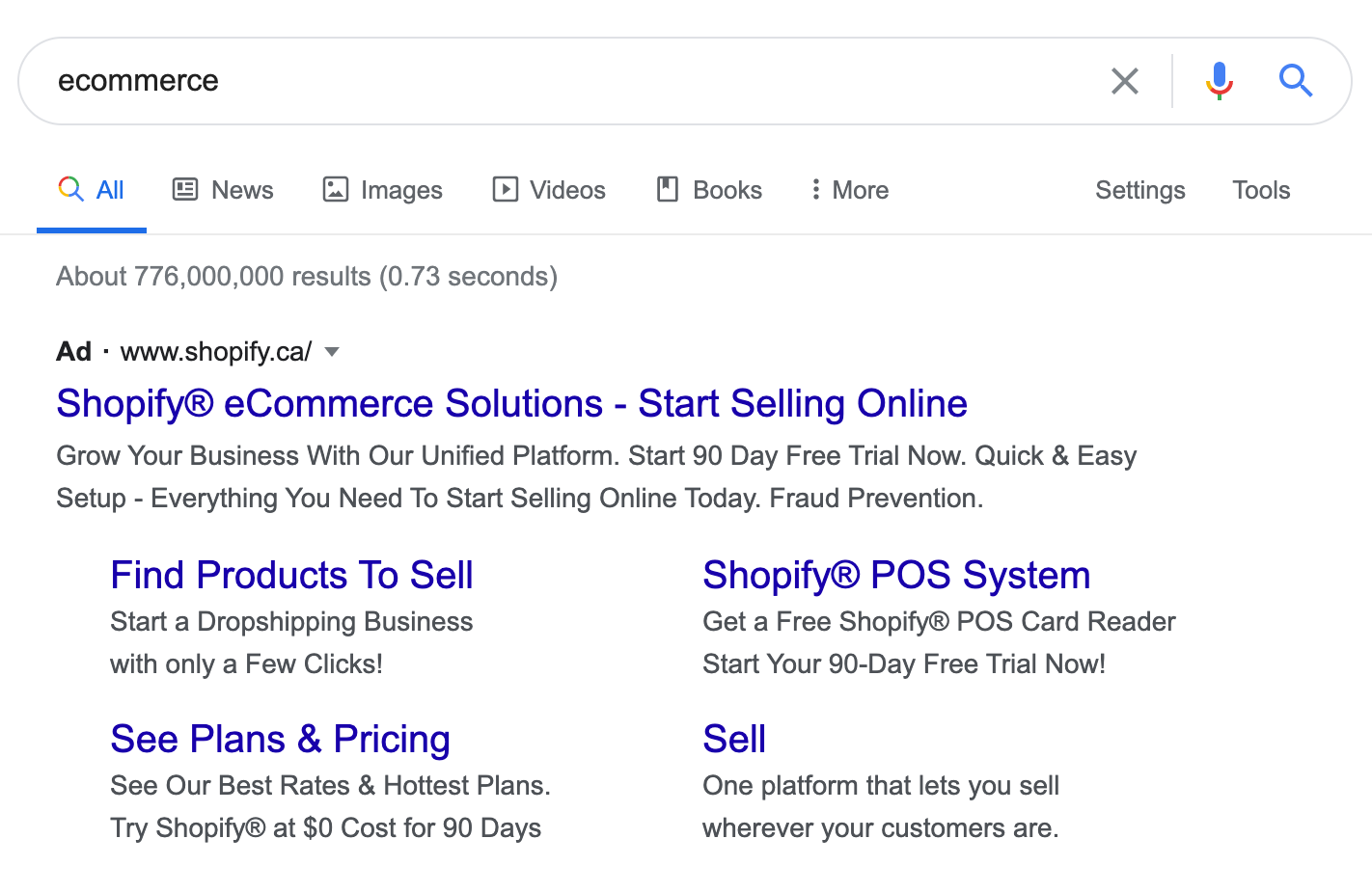
    We wanted to experiment with ads but Shopify had bid up our core keywords, like “eCommerce platform”, and we couldn’t afford it. In fact, they were bidding on just “eCommerce”. They do that to this day.

    So I decided to bid for the word “Shopify” and that’s when I created my first competitor ad.

    Shopify was still small enough to care back then so they emailed our CEO. The fact was, our ads actually were working. And that led to many years of creating ad campaigns for dozens of SAAS companies.

    I’ve learned a few things about competitor ads along the way, and I’ll share them in this post.

    Why Create Competitor Ads

    You mean, aside from your insanely rich competitor bidding up every remotely related keyword?

    Think about what’s happening when someone searches for a brand. Let’s say I type Shopify into the search bar. I’m either already using them, in which case I want to log in. Or I’m researching them because I’m in the market for an eCommerce platform.

    If the search intent is research, it’s pretty obvious why you should run a competitor ad. But if someone just wants to log in, is it worth it?

    I’d argue it is. I’m talking about SAAS specifically, but most SAAS don’t have very strong defensibility. Even Shopify can lose customers early on before they’re fully set up and have tons of sales.

    And so, if you can plant the seed of a thought that maybe there’s a better product out there, then if someone has issues with Shopify, they may come back to you. And this holds for nearly every SAAS.

    But don’t go throwing up those competitor ads just yet, because there’s a subtle art to it.

    PS – Book a free 30-minute consultation with me if you want specific feedback on your competitor campaigns.

    Keyword Selection

    So while I did say it’s worth broad targeting a competitor’s brand name, there may be times when you want to narrow it down. 

    Low Budget

    If you have a low budget, you may want to target the highest-potential keywords. These are keywords where you know the searcher is looking for a new tool, such as “competitor alternatives” or “competitor vs”.

    This works especially well when your competitor is popular and receives a ton of brand searches. When you narrow down, you’ll still get a decent search volume.

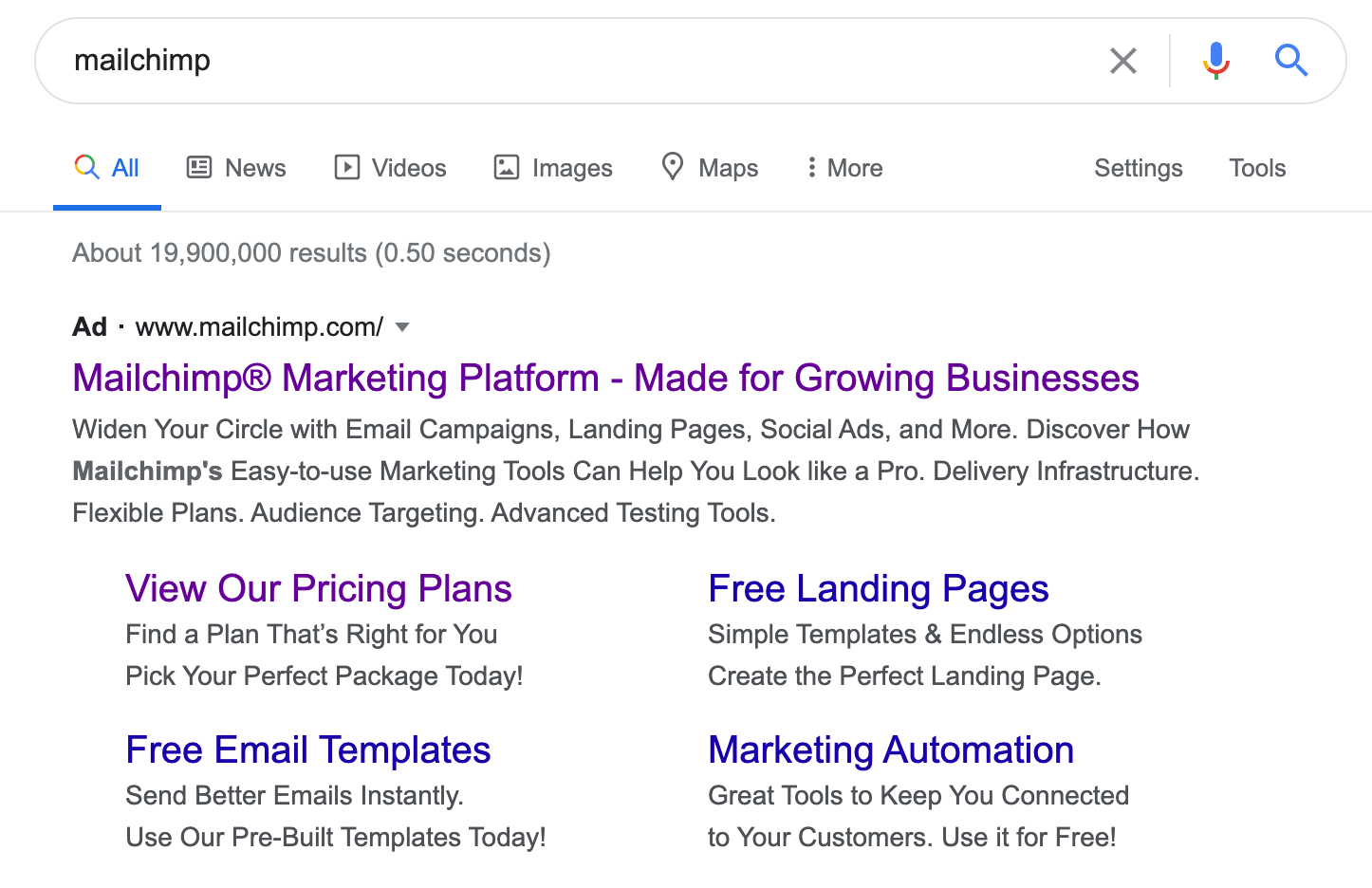
    Let’s take Mailchimp, for example. It’s one of the most popular email marketing software, so there’s a ton of search interest for the word “Mailchimp”. 

    You’ll notice that only Mailchimp advertises for that keyword. This is good practice to protect their brand name.

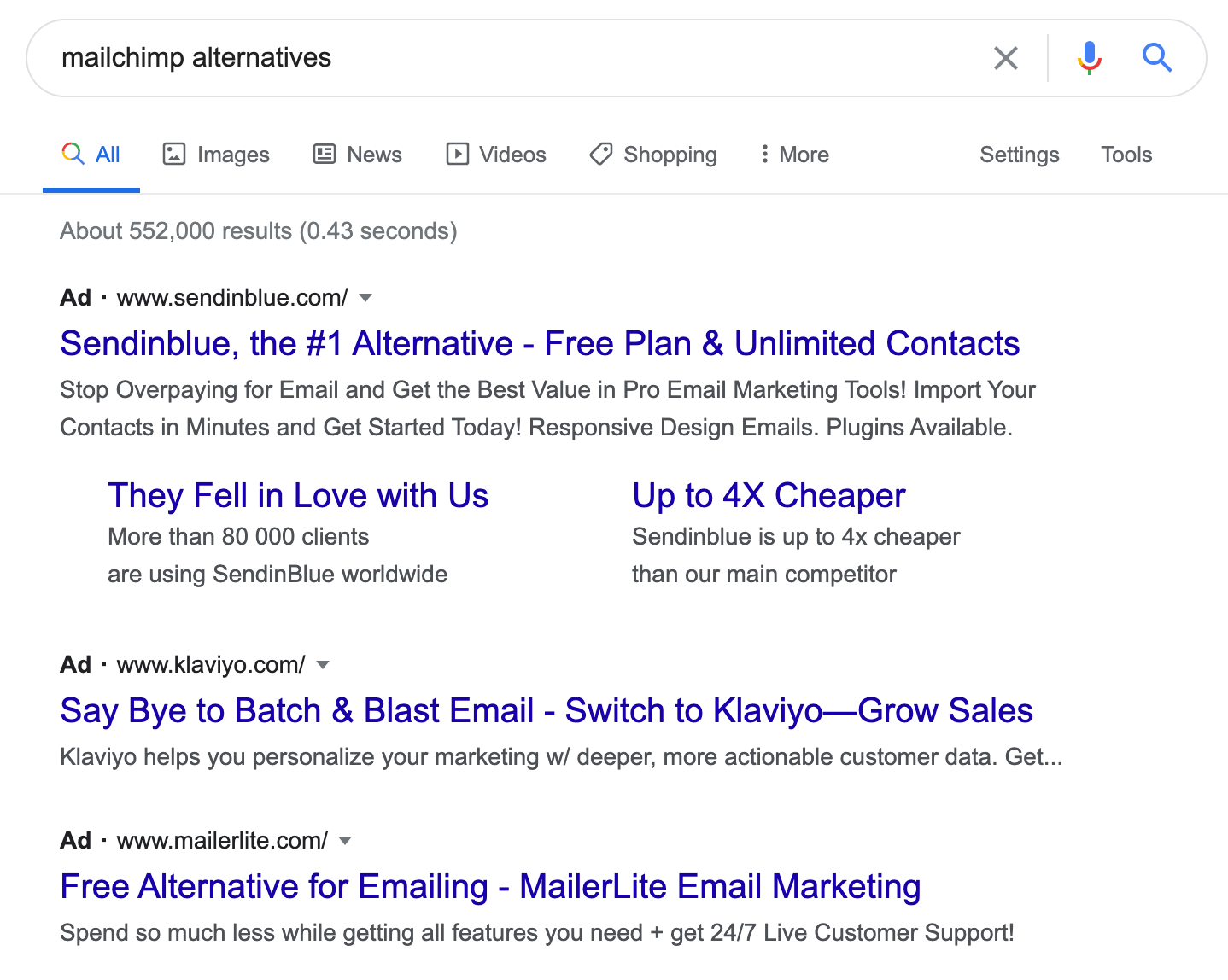
    However, when you search for “Mailchimp competitors” or “Mailchimp alternatives”, it’s like you’re entering a monkey brothel with a bucket of bananas. Everyone wants your business.

    Common Word

    Sometimes you may have the budget but your competitor has a brand name that’s also just a common English word, like Apple.

    I ran into this problem when I was working at Thinkific, and we set up ads against our biggest competitor, Teachable. I would see people searching for “teachable moments” or variations often. Even with negative keywords, I’d often get highly unqualified clicks.

    So I was forced to narrow down, but I opened it up to keywords like “teachable app”, “teachable pricing” and so on. Once Teachable got wind of it, it escalated into a bidding war and ultimately ended in a ceasefire, so I don’t have any screenshots of the ads I created.

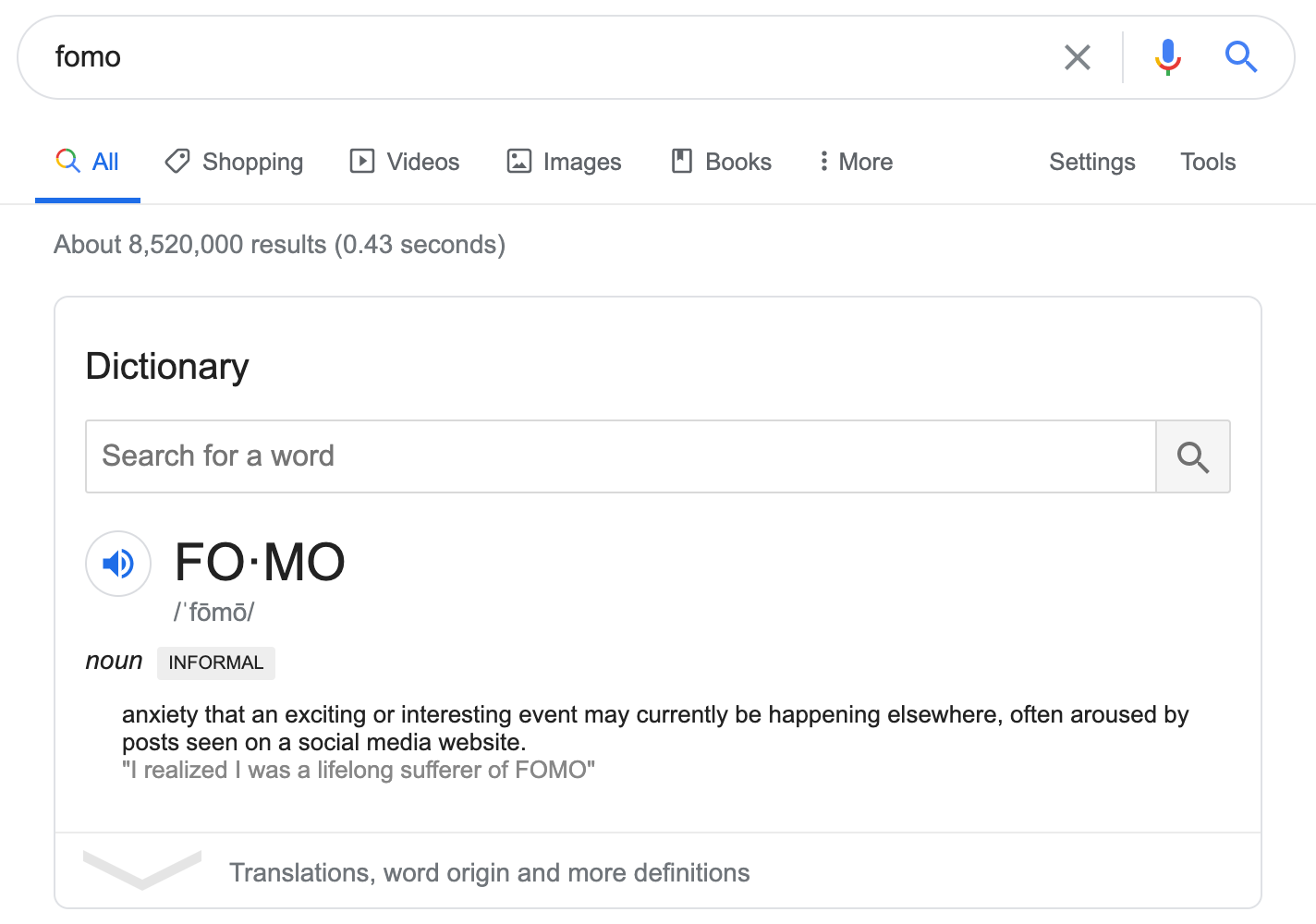
    However, a good example is FOMO vs Proof, both social proof apps, and both regular English words. FOMO is also slang for fear of missing out, which is what people want to know when they Google it.

    But when you search for “FOMO app” or variations, Proof, their main competitor, is on the money. Unlike Mailchimp, FOMO isn’t protecting its brand name leaving Proof to take the top spot.

    What’s really interesting is that Proof also protects its brand name, even if you search for “proof” which is a common English word. However, they are limiting it to only exact searches of that word to reduce unqualified searches. 

    It’s also surprising that FOMO isn’t running ads against Proof but maybe they don’t have a fear of missing out on those clicks…

    Broad Application

    You may find that your competitor targets a broad range of audiences while you focus on a specific one, so you may want to narrow it down to searches within your niche.

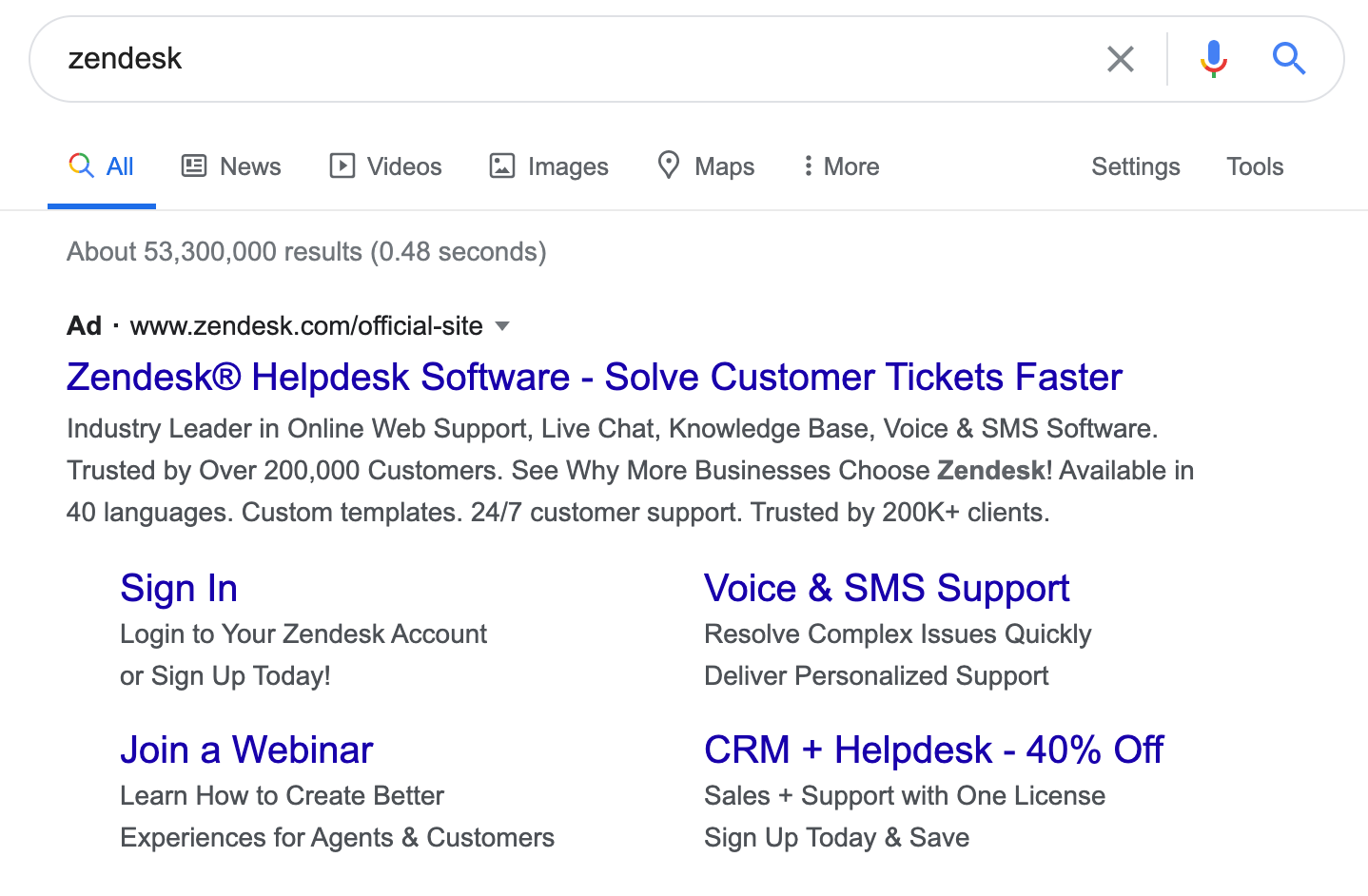
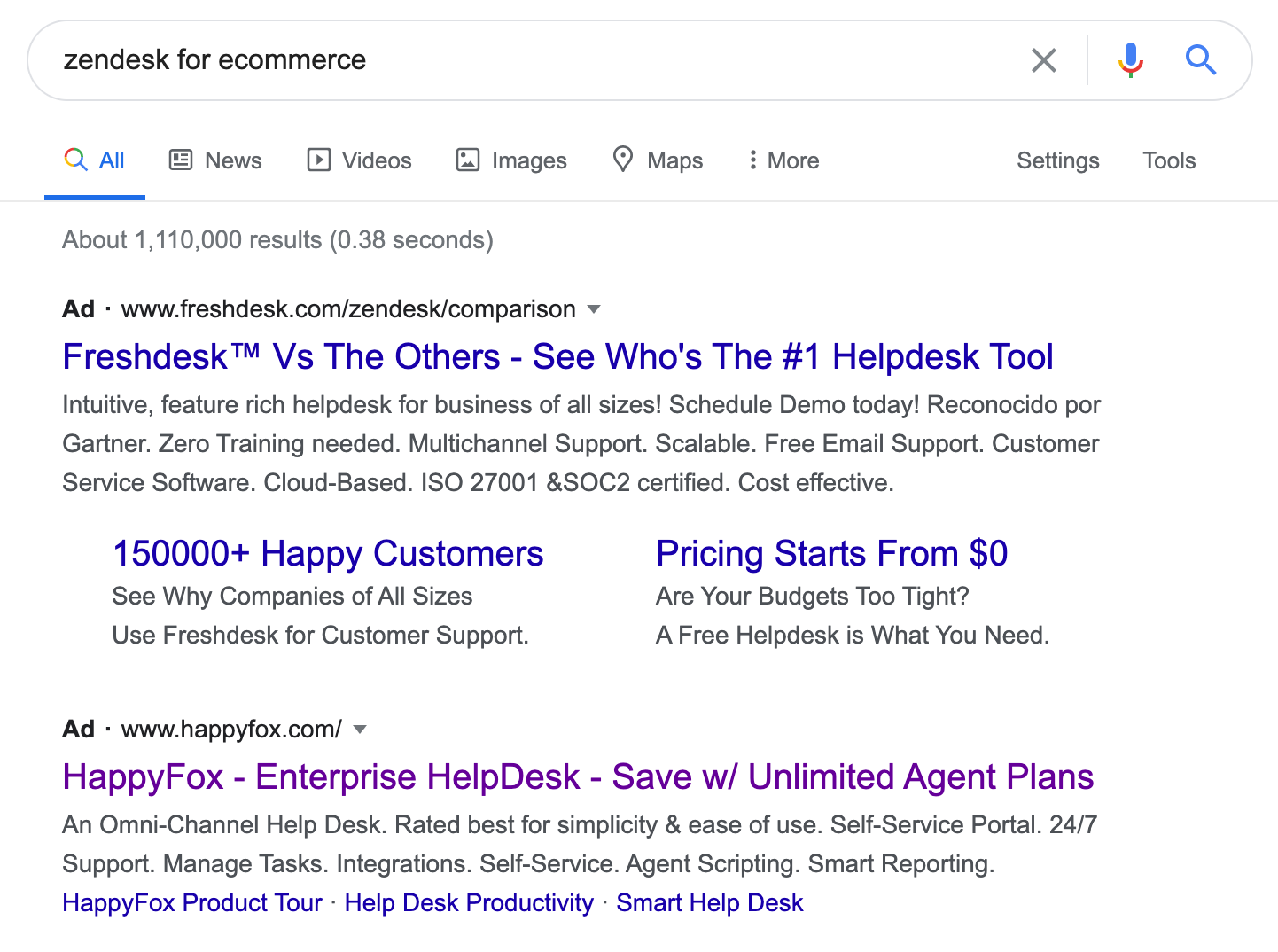
    Take Zendesk, a customer support app for SAAS, eCommerce, and more. When I was consulting with Gorgias, a customer support app specifically for Shopify stores, Zendesk was our biggest competitor but broad targeting didn’t make sense because they attracted too many people outside our niche.

    So we had to focus on keywords like “Zendesk eCommerce” and “Zendesk for Shopify”. Alas, my boy Guillaume Cabane, who is now running growth there, seems to have paused my extremely tasteful ads, so I have no screenshots for you. However, Freshdesk and HappyFox have taken up the mantle.

    Ad Copy

    Despite not having any conscience whatsoever, I do believe it’s important not to trash talk competitors on your ad copy. It’s just good business practice. You don’t want to turn away leads because you sound too boastful. As always, there’s an art to it.

    Be Specific

    Whenever I see an ad that goes “#1 in XYZ” my eyes glaze over. What makes you #1? If you can’t answer that, why should I take your word for it?

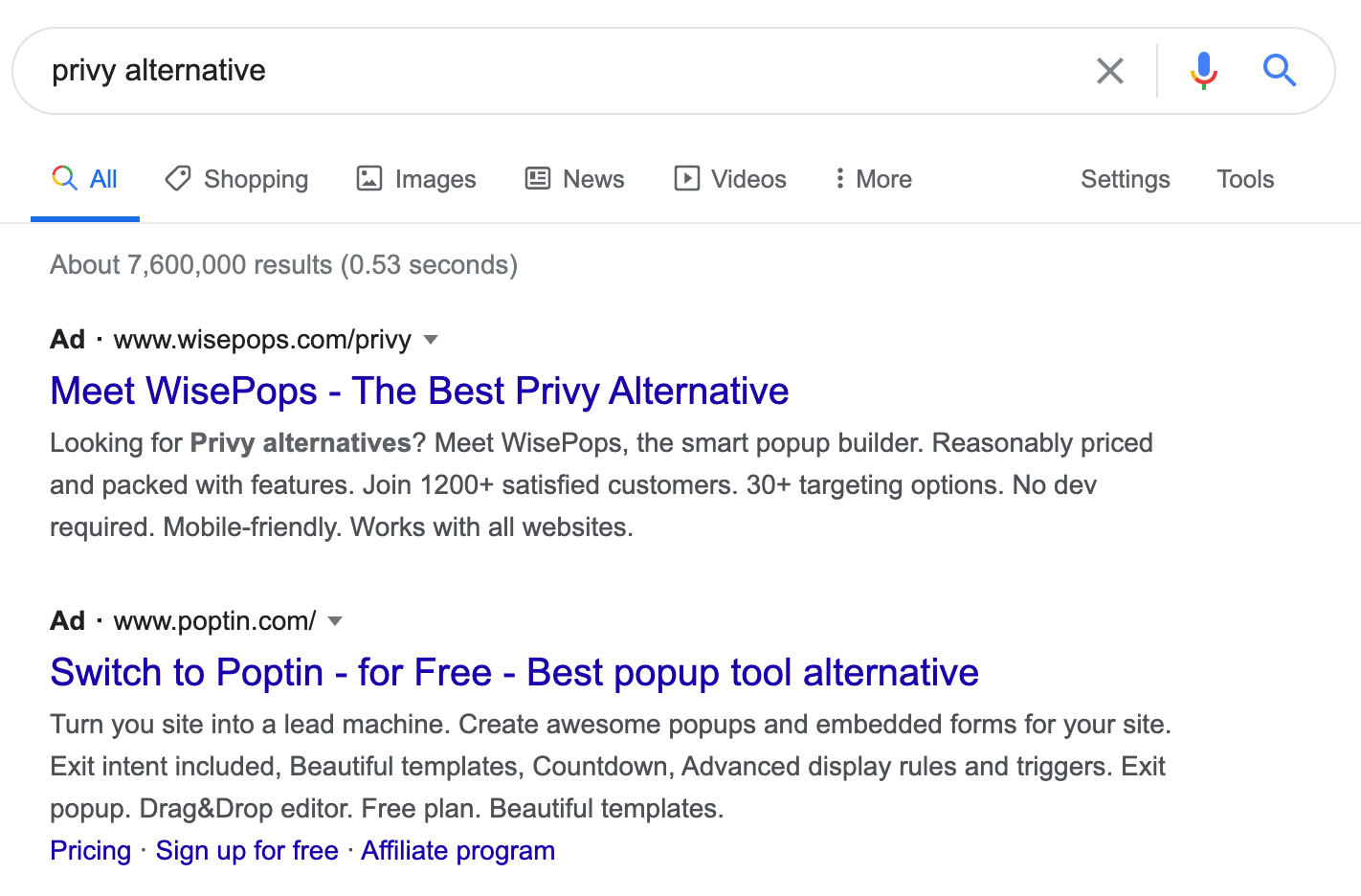
    Here’s what happens when you’re lazy and your ad copy says “Best Alternative”

    That’s right, everyone else is doing it! What sets you apart?

    WisePops is getting away with this because of their smart use of the word “Privy” in their ad (we’ll get to this later) but the fact is the rest of their copy doesn’t tell us how it’s different from Privy.

    Remember, if someone is looking for an alternative to a competitor, they have a problem with it. So if you solve that problem, say that in your ad!

    A simple Google search for reviews of your competitor will bring up G2 Crowd, Capterra, and other review sites. Look through them to find what people are complaining about. For example, I found negative reviews about Privy’s customer support. If I were WisePops, my ad would say “Privy Not Supporting You? WisePops Can Help”. 

    As a side note, I also found many people complain about Privy’s pricing, which WisePops alludes to in their ad. However, I wouldn’t use pricing as a differentiator. Trust me, customers who complain about pricing are never satisfied.

    Make It Personalized

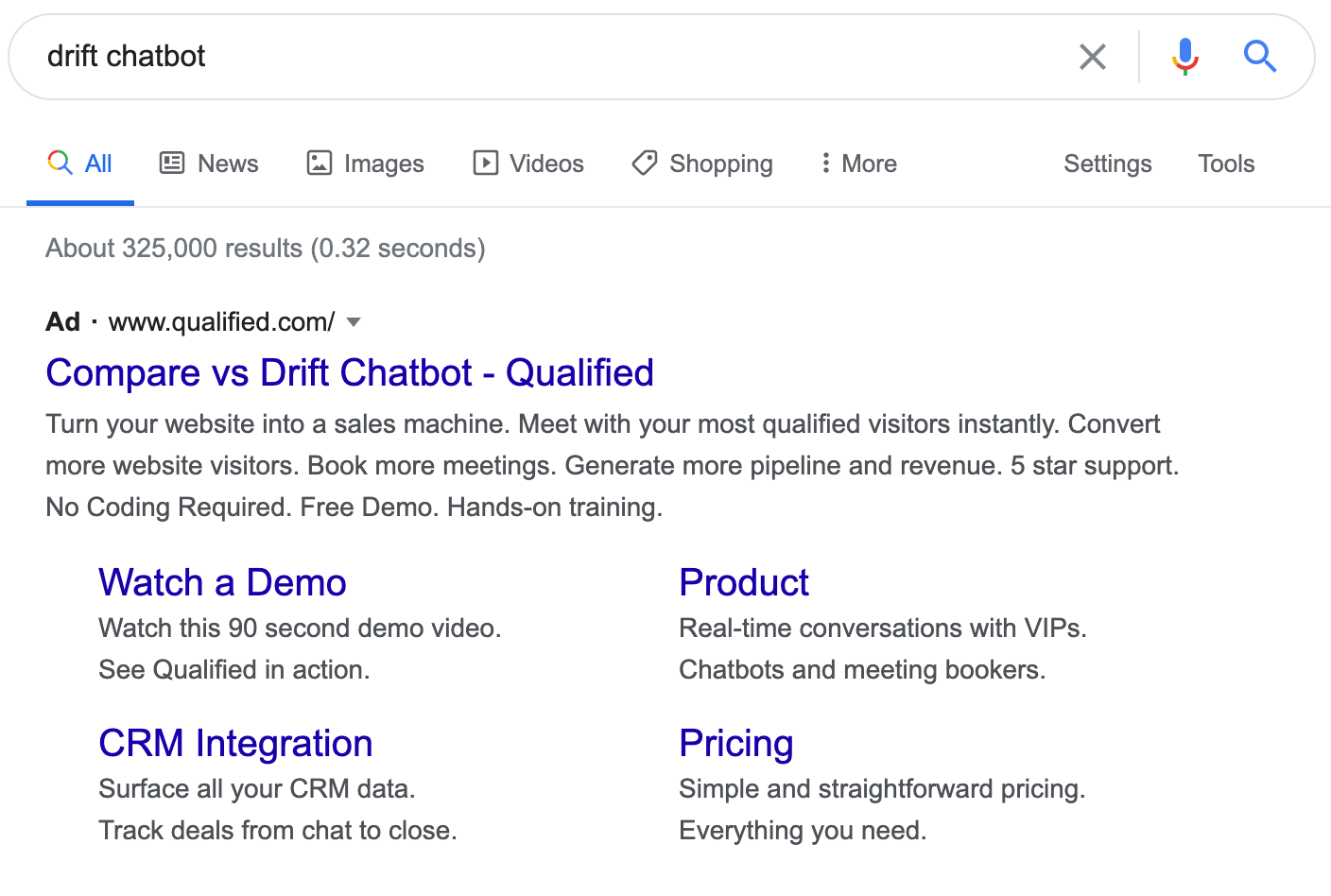
    As mentioned above, WisePops did well to include the word “Privy” in their ad copy. If the ad copy reflects exactly what I typed in, I’m more likely to click on it.

    Here’s an example from Qualified where they use the search term “Drift Chatbot” in the ad copy as well.

    There’s absolutely nothing wrong or illegal about using your competitor’s name in your ad. However, if your competitor submits a complaint to Google, you will no longer be able to use their brand name in your ad copy. You can still use it in the display URL and that helps. 

    Plus there are ways to get around it. I remember a story Oli Gardner once told me about Instapage’s competitor ads against Unbounce. Even though Unbounce had protected their trademark, Instapage would still use ad copy like “Unbounced?” or “Un Bounce” to get around it.

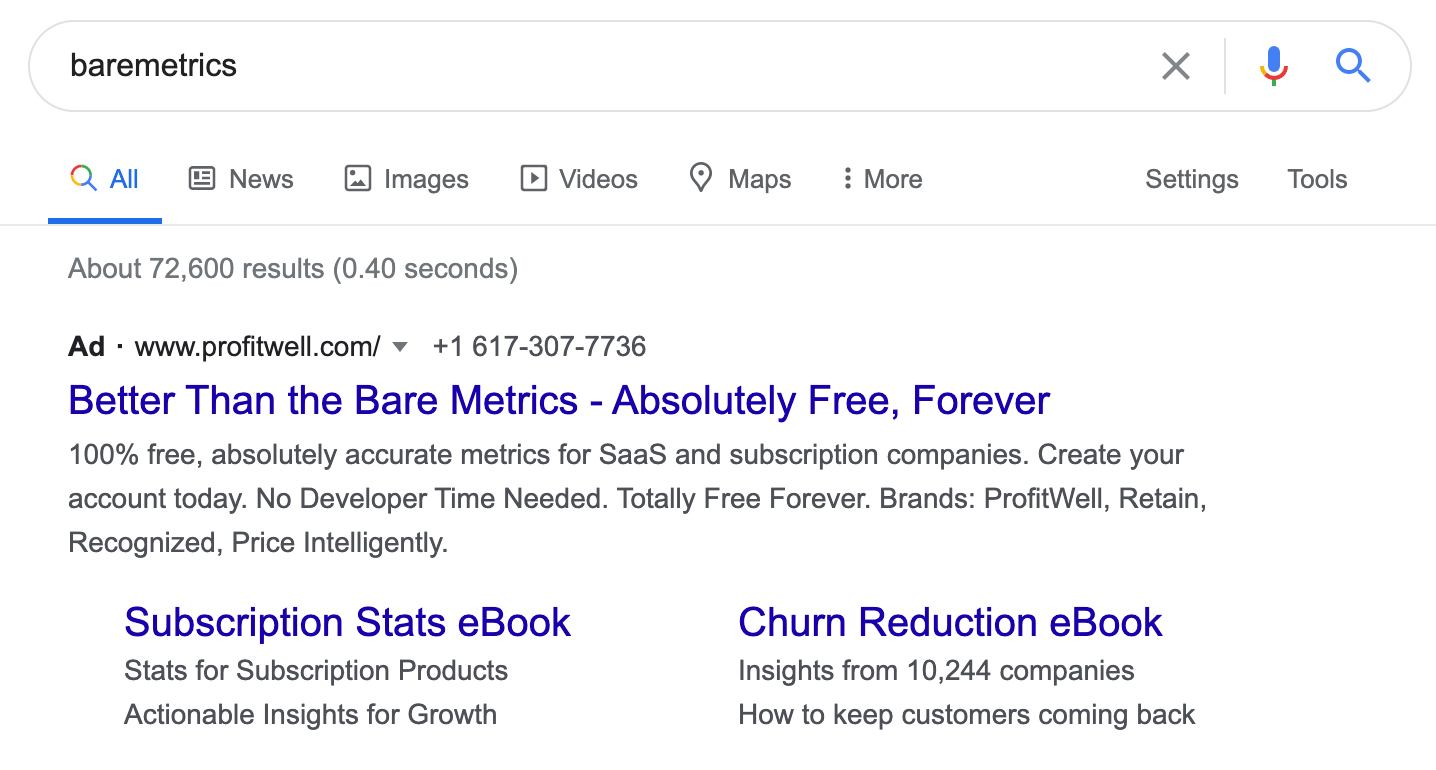
    Profitwell does this with their Baremetrics ad –

    If you can’t use your competitor’s name, you can still personalize the ad based on other words in the search, the location of the searcher, and more. When I search for Zenefits in Canada, I see Humi’s ad stressing on how it’s made for Canadian businesses.

    Landing Page

    Snappy ad copy is half the battle. The landing page is where decisions are made. Besides, a more relevant landing page gives you a better ad score and can even place you higher than the competitor’s own branded ad.

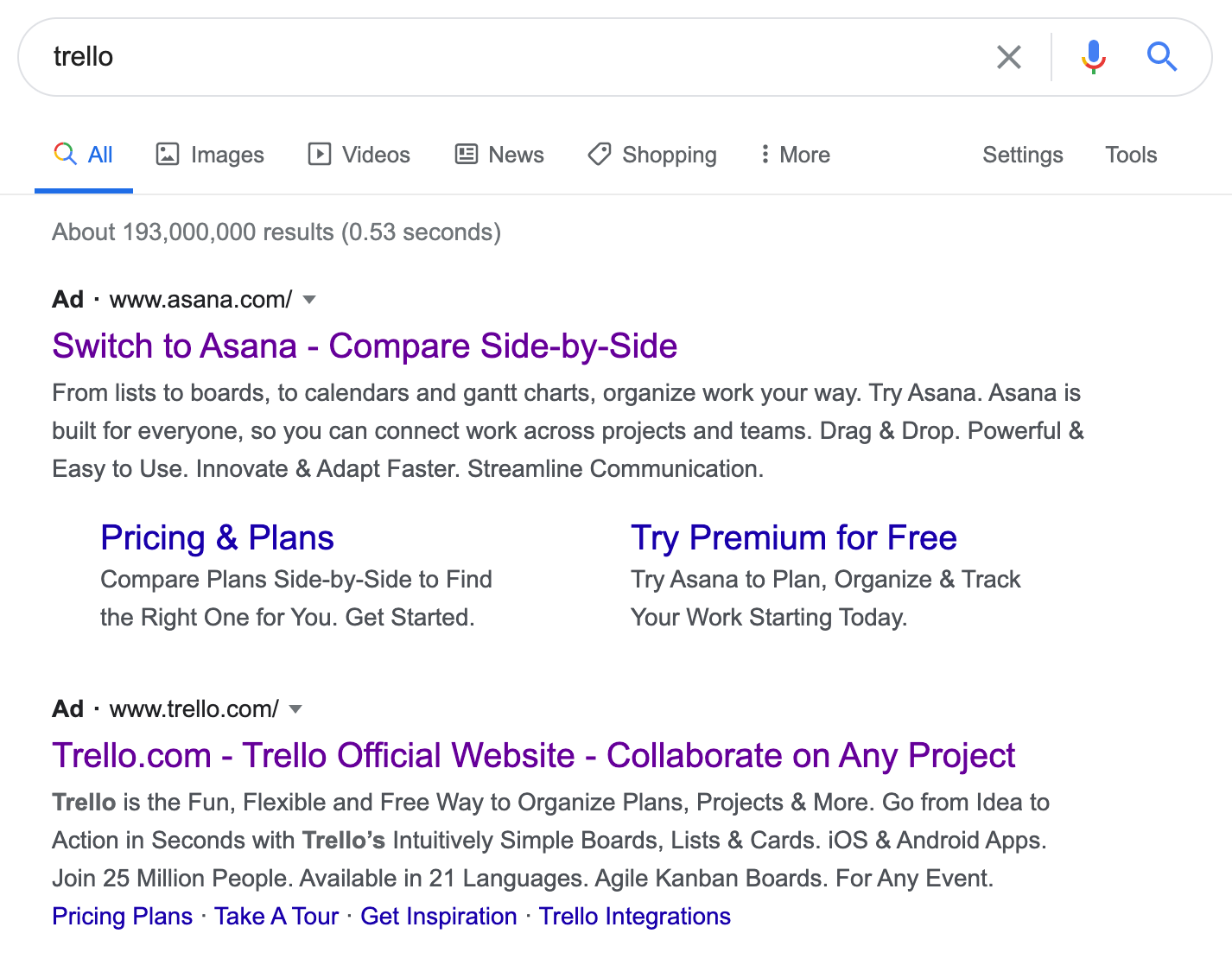
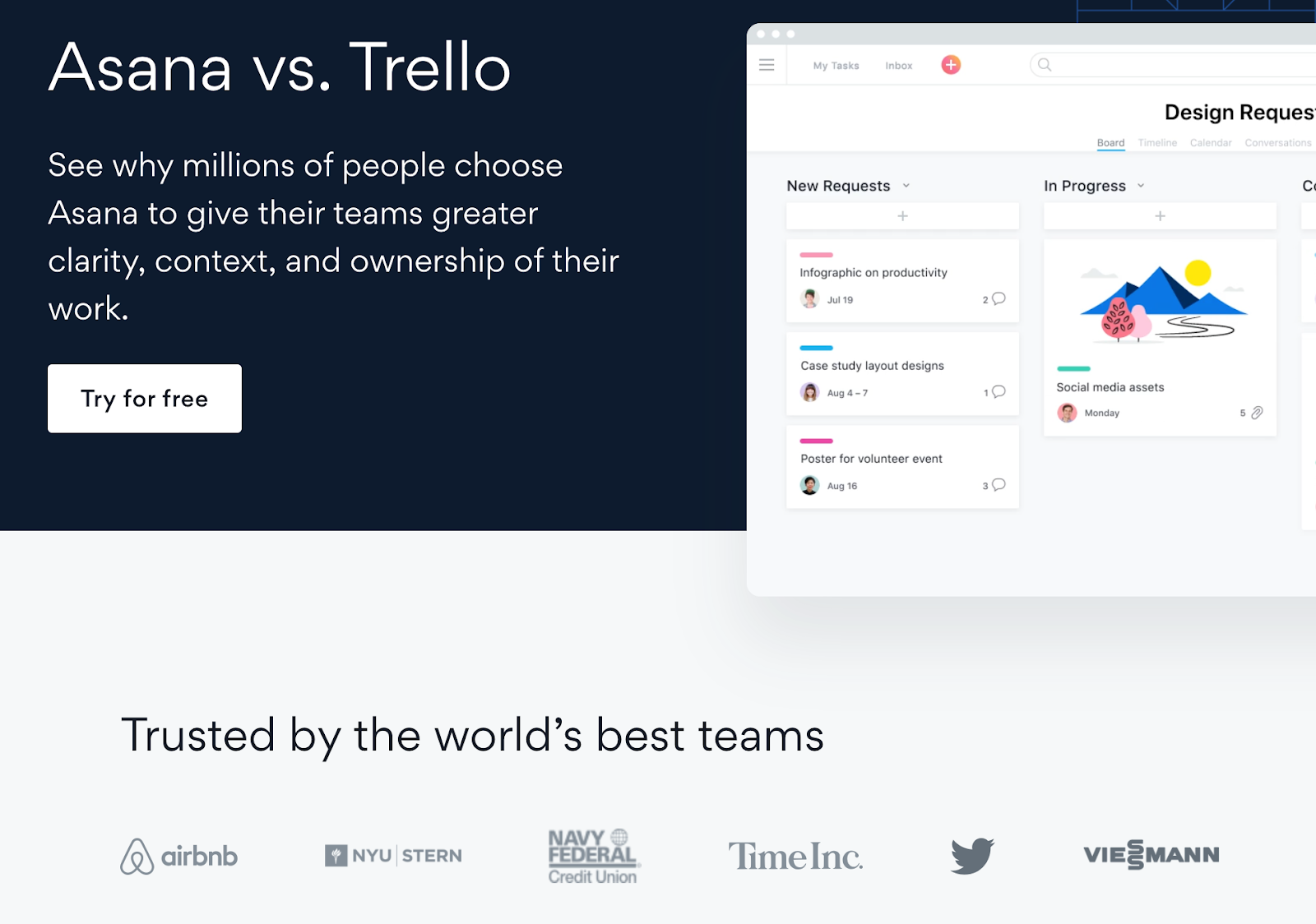
    In this screenshot, you’ll see that Asana ranks higher when searching for Trello. One big factor is the landing page which references Trello multiple times. Let’s break down what goes into a good competitor landing page.

    Stay Consistent

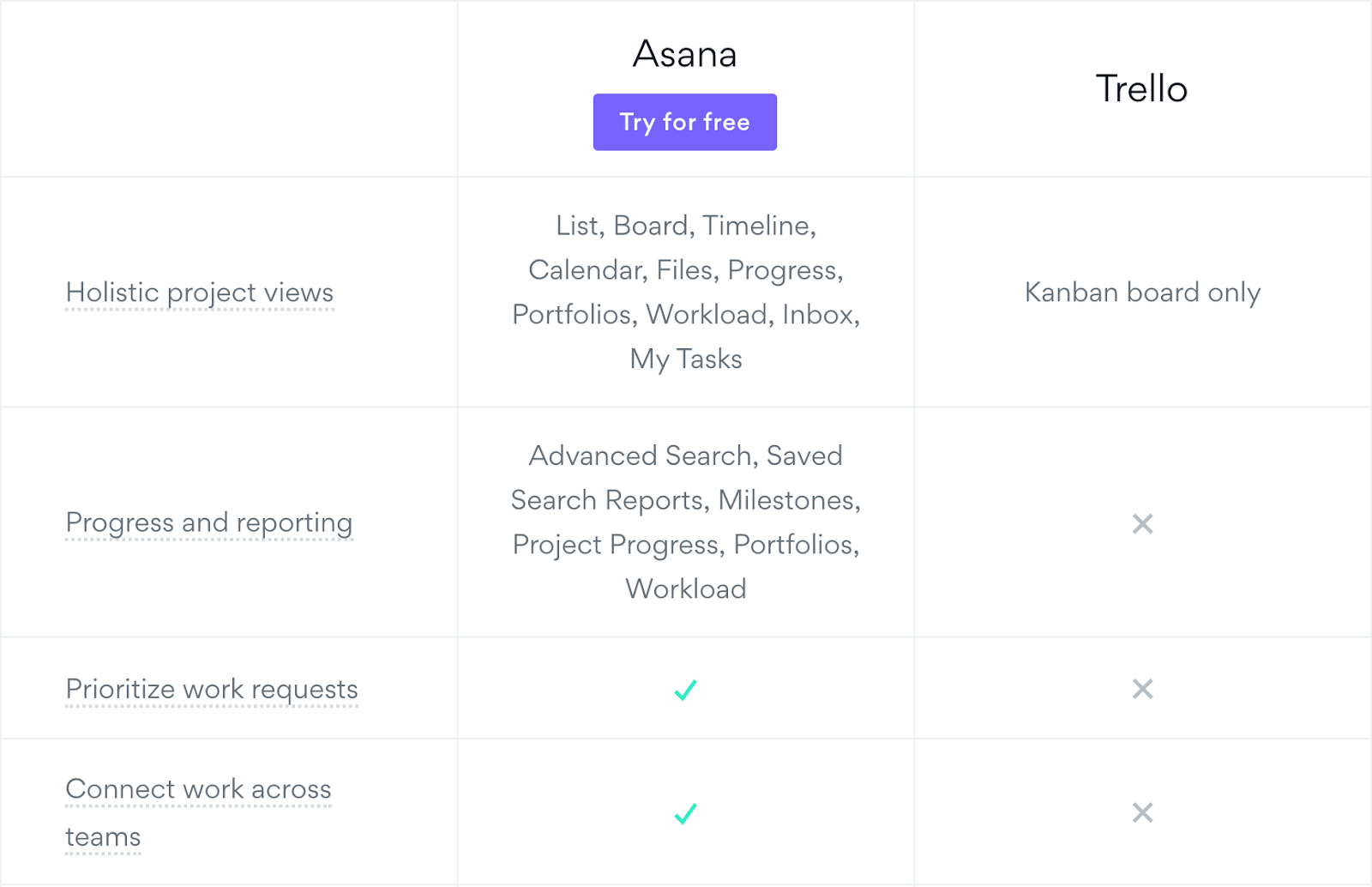
    In the Asana ad above, the headline says “Compare Side-by-Side”. In their landing page, they follow up on it with direct comparison charts. 

    This is good practice in general. Your ad sets the expectations that your landing page must fulfill. So if you’re making claims about being the #1 alternative to a competitor, you need to follow up on that statement on your landing page.

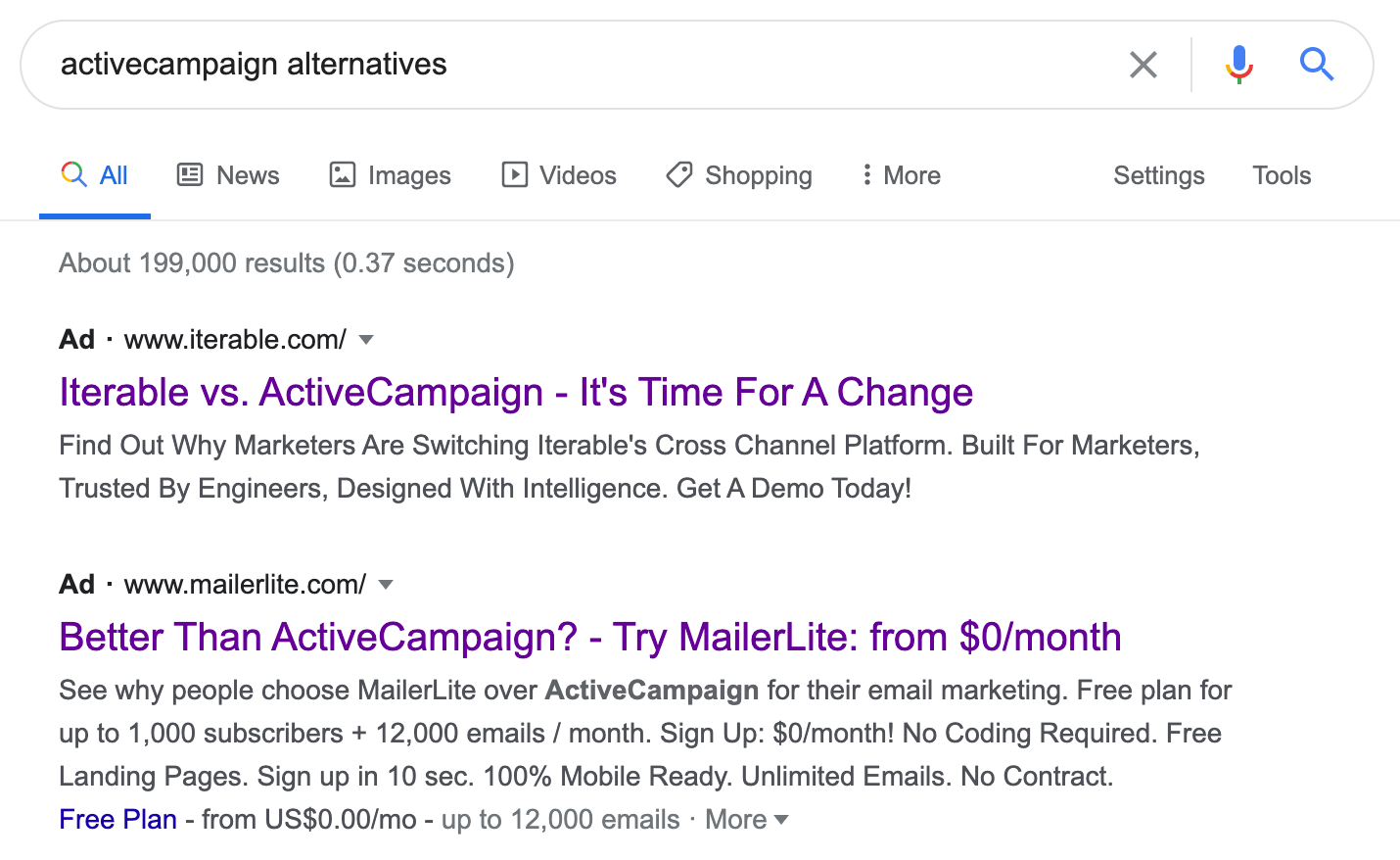
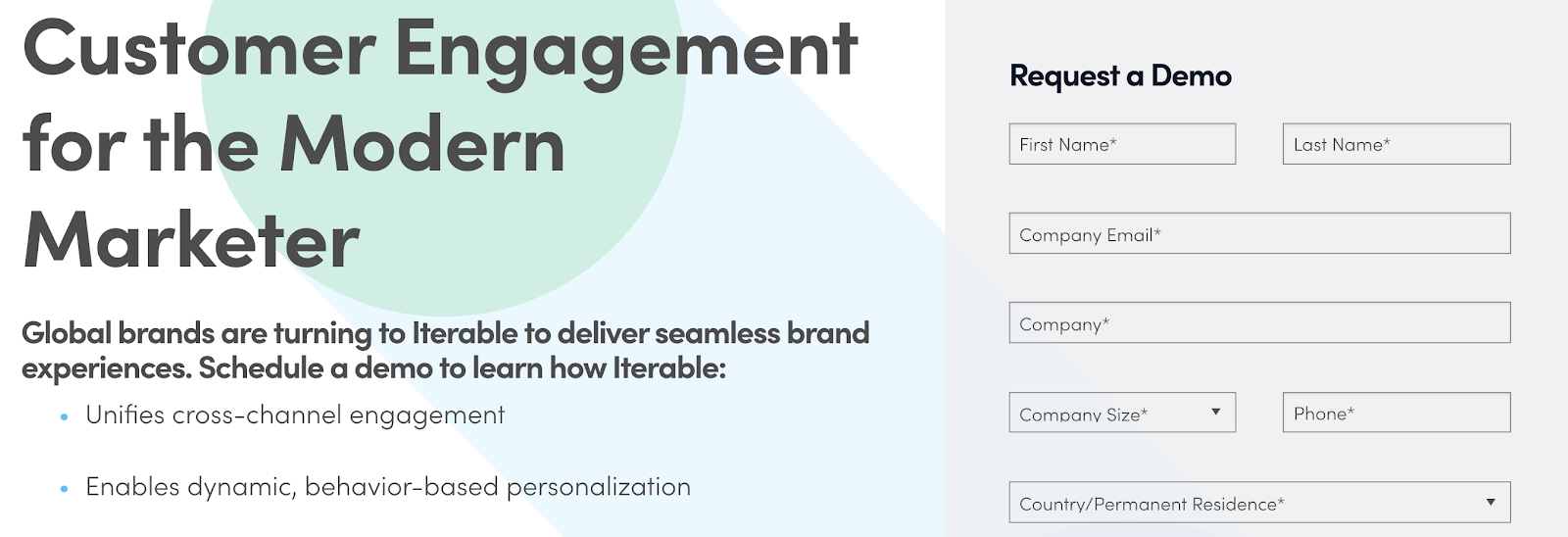
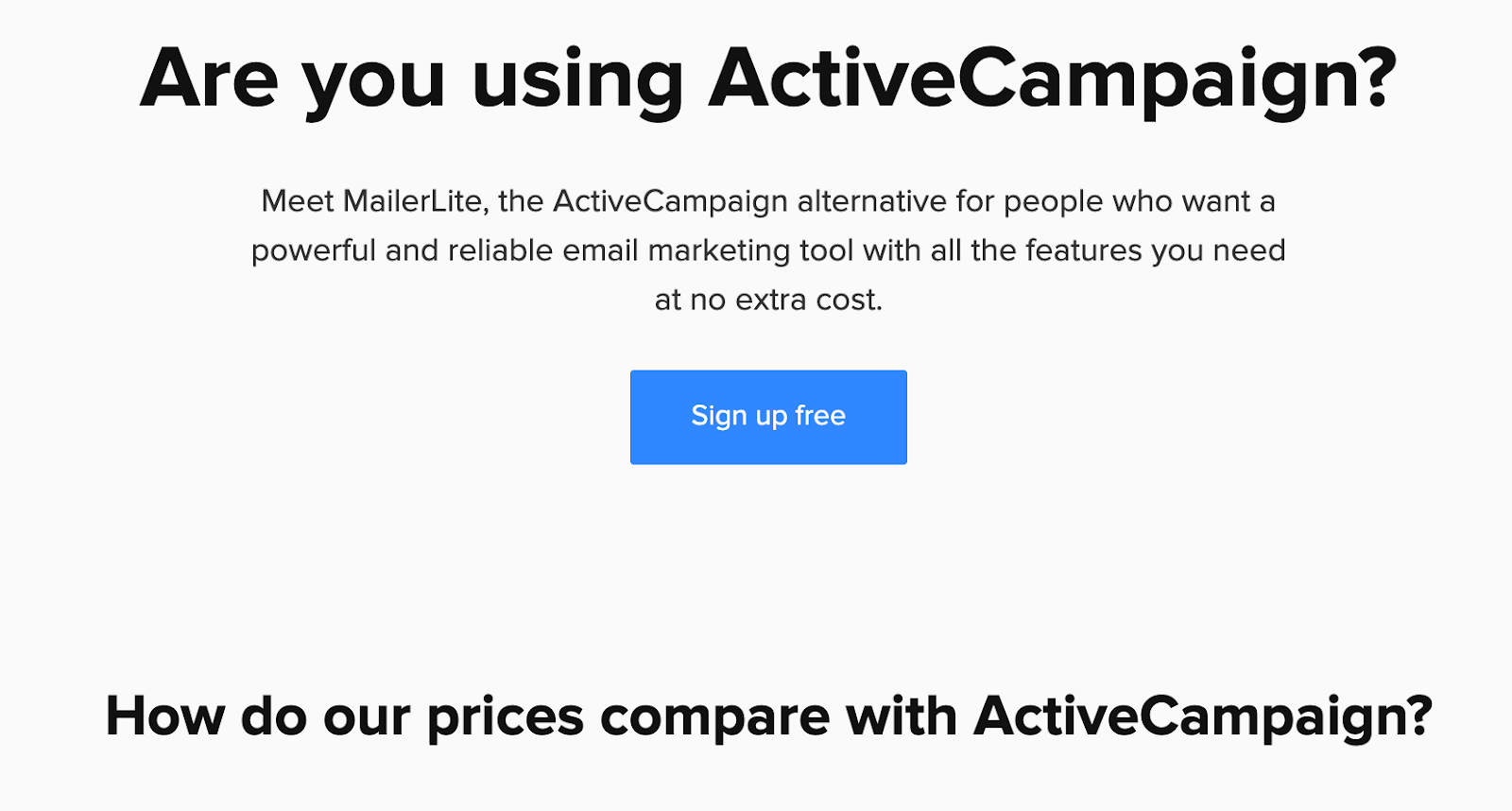
    Here’s what it looks like for ActiveCampaign alternatives. Both Iterable and MailerLite are directly pitting themselves against ActiveCampaign. In the ad copy, they both claim that marketers are switching over to them.

    However, on the landing page, Iterable doesn’t actually follow up on that claim. It’s just a standard lead form page with no mention of why they are better than ActiveCampaign and why people are switching.

    MailerLite does a much better job. There’s continuity between the search query, ad copy, and landing page. They describe MailerLite in terms the searcher will understand.

    Highlight Benefits

    It’s important to list feature differences like in the Asana example previously, and I’ll come to this in the next section, but I prefer starting with benefits. Features are the what, but benefits are the why and they’re more powerful.

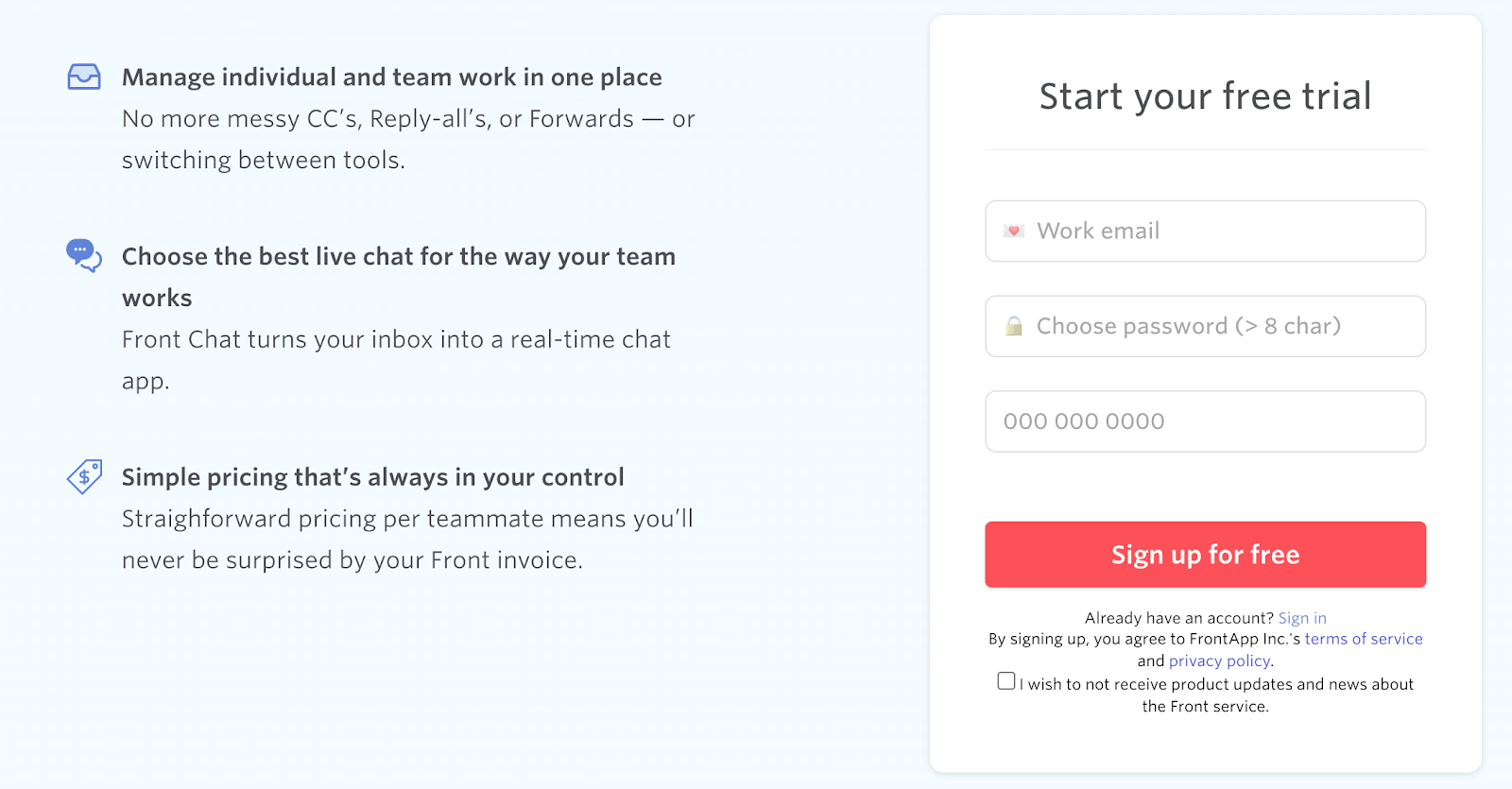
    When you click on Front’s ad against Intercom, you’ll see what I mean. Right away, in the hero section, Front mentions the 3 big benefits of switching over.

    I might even make the copy more benefit-oriented. So the first header would be, “Save time with a unified inbox” and the next would be “Respond faster with real-time chat”.

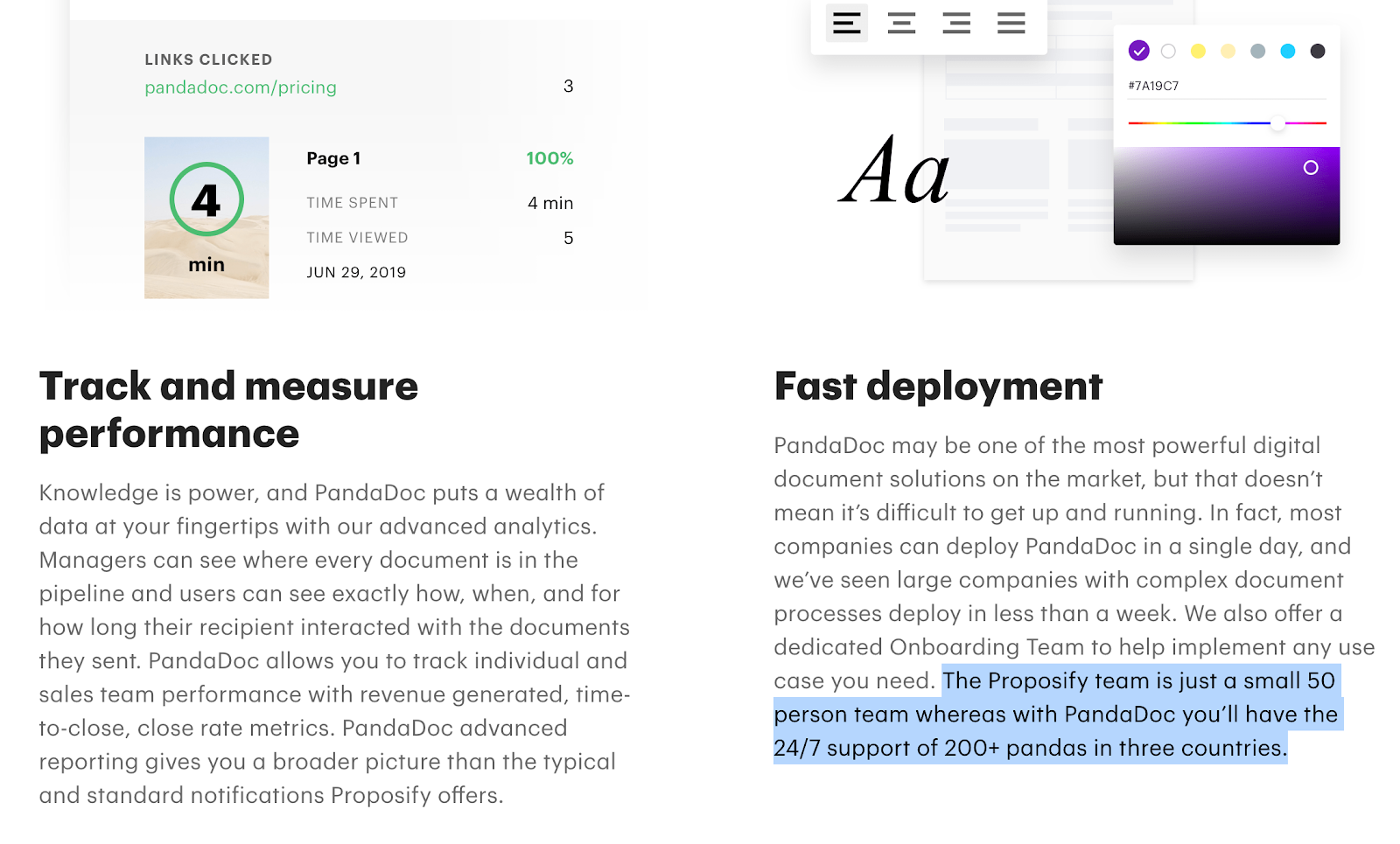
    PandaDoc takes this a step further in its campaign against Proposify. They go deep into 8 benefits of switching over, a few too many in my opinion, but really drive home the point.

    Support Wars: Pandas vs Humans

    Compare Features

    Highlighting your top 3 or 4 benefits will do most of the work for you, but sometimes people have a checklist and they need to go through the motions, so you might as well humor them with a feature list.

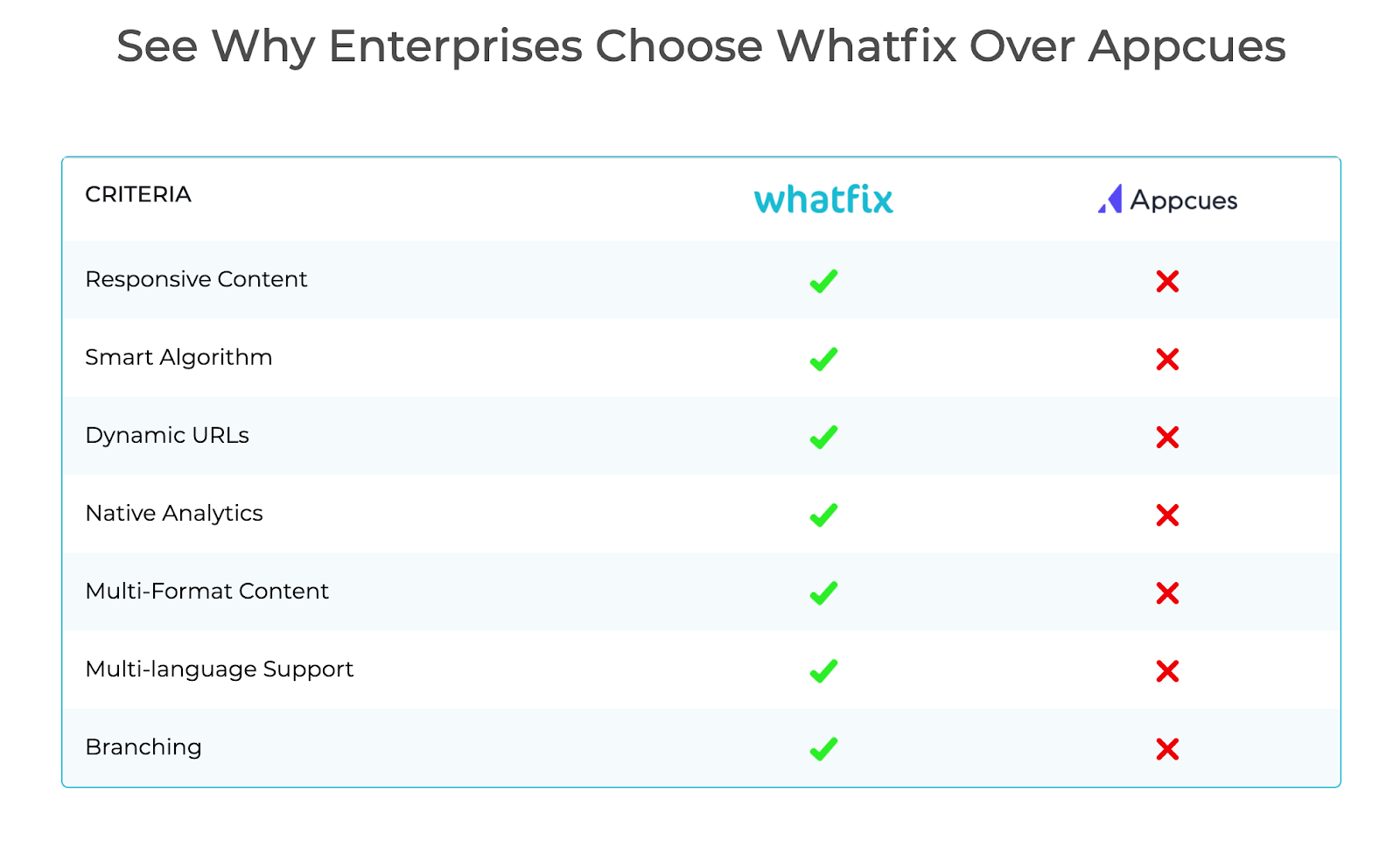
    In their campaign against AppCues, Whatfix has a section that lists out feature differences between the two products. This is a common practice though I don’t much care for it. 

    The problem with this is most people won’t know what you mean by “Smart Algorithm” or “Branching”. These may be common terminology within your company and existing community, but outsiders will probably misunderstand.

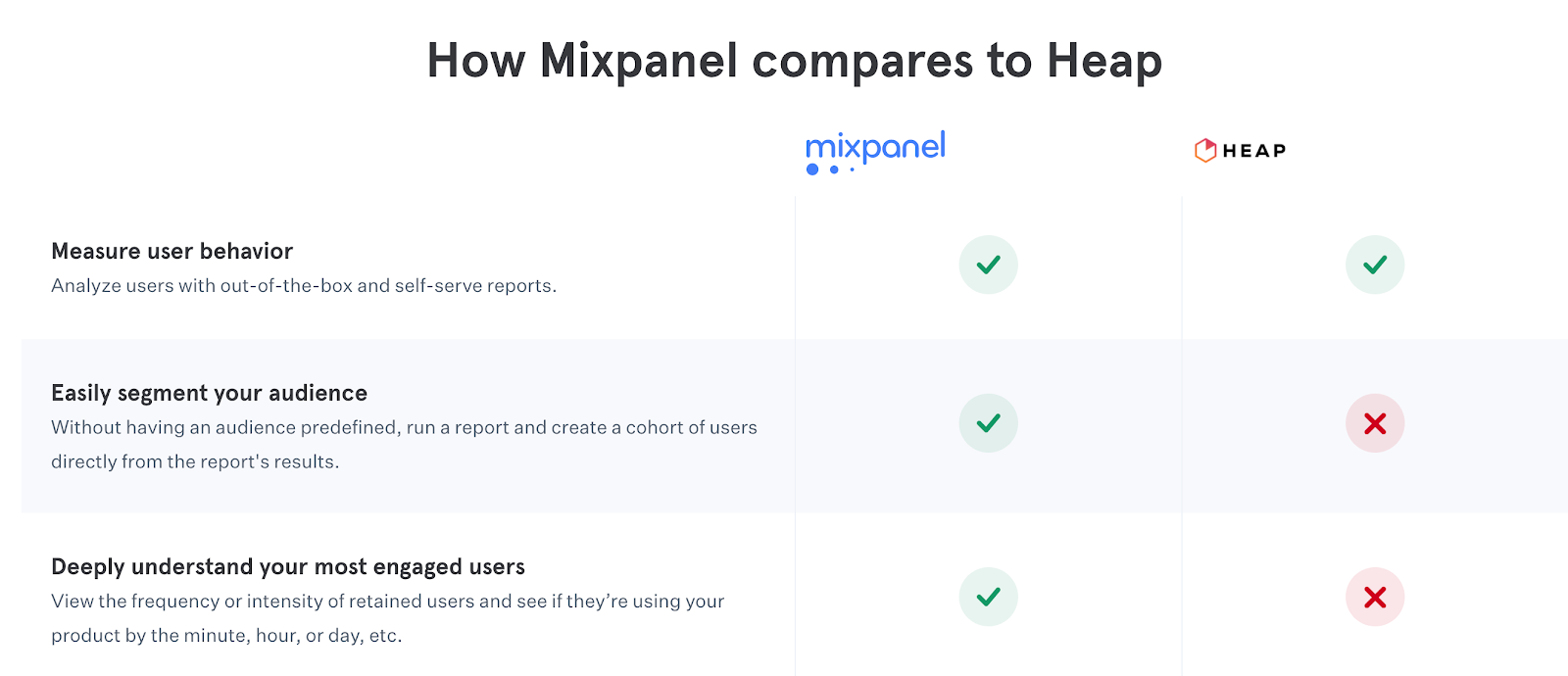
    Instead, this feature comparison by Mixpanel against Heap is more helpful.

    Use Social Proof

    When I was working at Thinkific, I’d see potential customers post in our FB group, asking everyone else if they switched over from a competitor and why. The responses would often convince the poster to switch over as well. Social proof is a hell of a drug.

    A common method is to list logos. Asana does this right beneath their hero section on the Trello comparison page.

    Further down on that page, they also display user review scores from comparison sites like G2Crowd and Capterra. It turns out the scores for Asana and Trello are almost the same so I’m not sure how effective this tactic is.

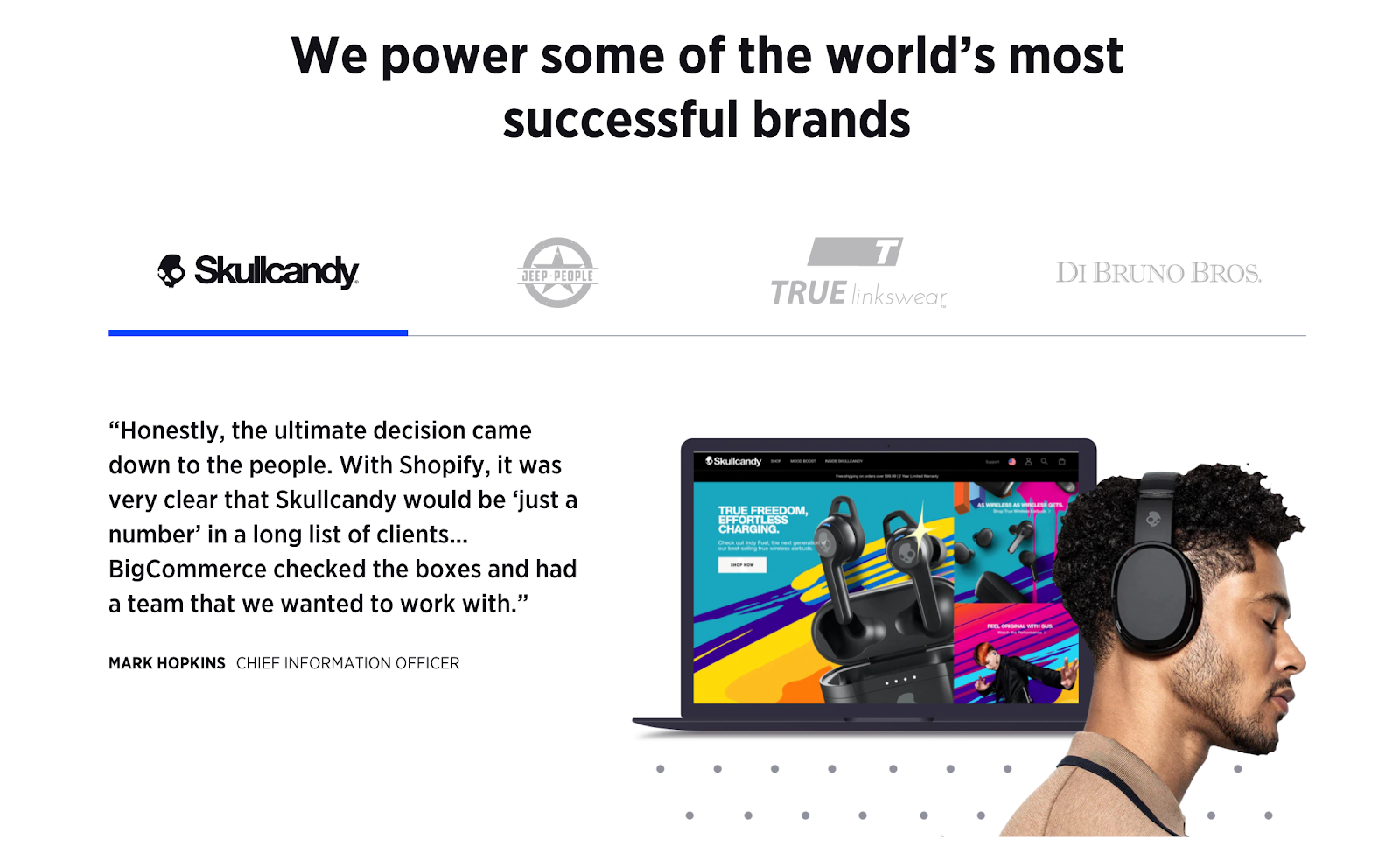
    A better way to follow what BigCommerce does on their Shopify comparison page. They embed quotes from customers who actually switched over from Shopify.

    Boosting Performance

    So people have seen your ad, they visited your landing page, and… they’re not converting! Worry not, my friends, for there are more tricks in Sid’s bag of insidiousness.

    Start A Conversation

    If someone isn’t converting on your page, they’re either not ready to, or they still have questions. The best way to figure this out is ask questions with a live chat conversation.

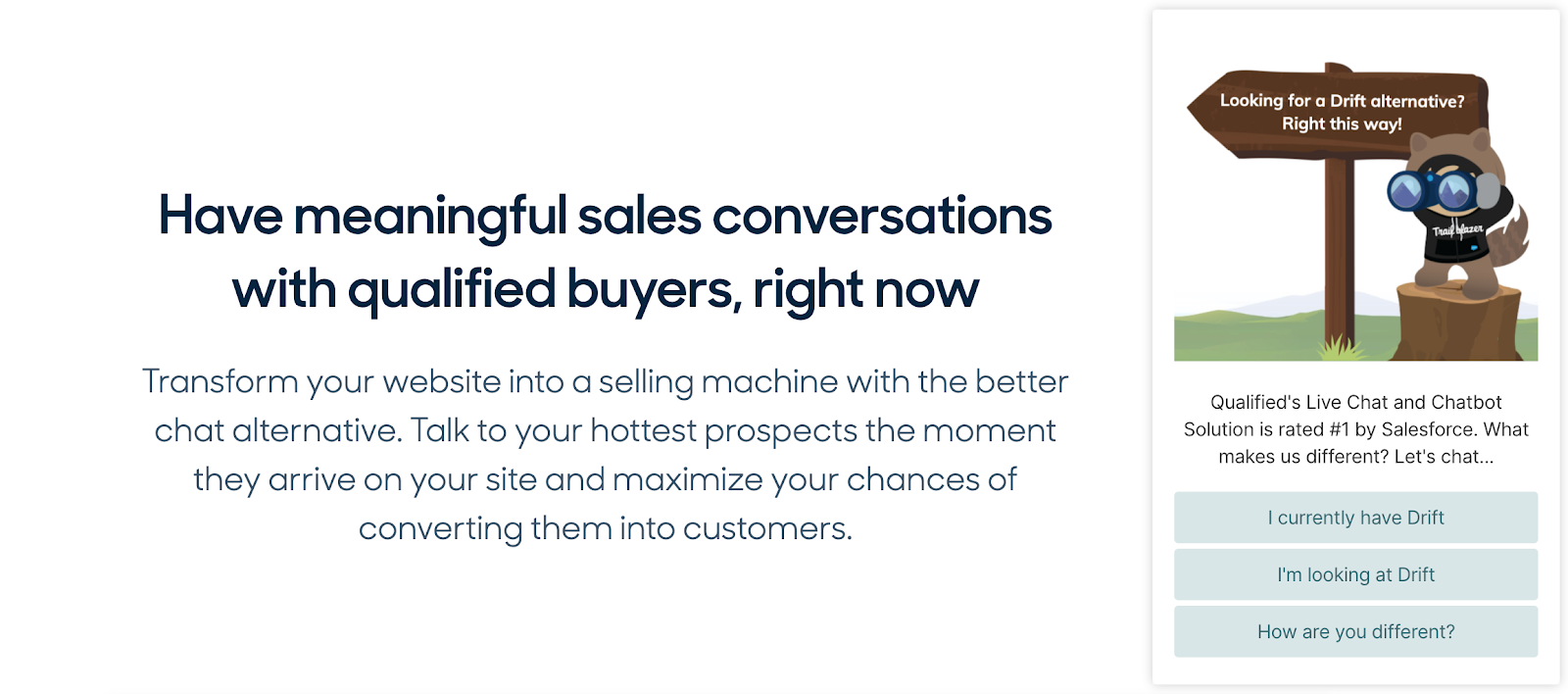
    When I was doing research for this post I looked at every live chat software out there and the only one that actually did this was Qualified.

    This shows up on their Drift competitor page. I like how they segment the visitor into whether or not they have Drift. This helps them figure out what information to send the visitor.

    I’ve personally used simpler chats in the past. Something like “Hey there, what’s stopping you from signing up right now?” works wonders.

    Retarget Them

    A retargeting campaign is a basic requirement for any company as I explain in my previous post. It becomes even more important to have one when you’re driving traffic to competitor pages. These are people who are even more likely to convert than your average blog visitor, so you need to stay on them.

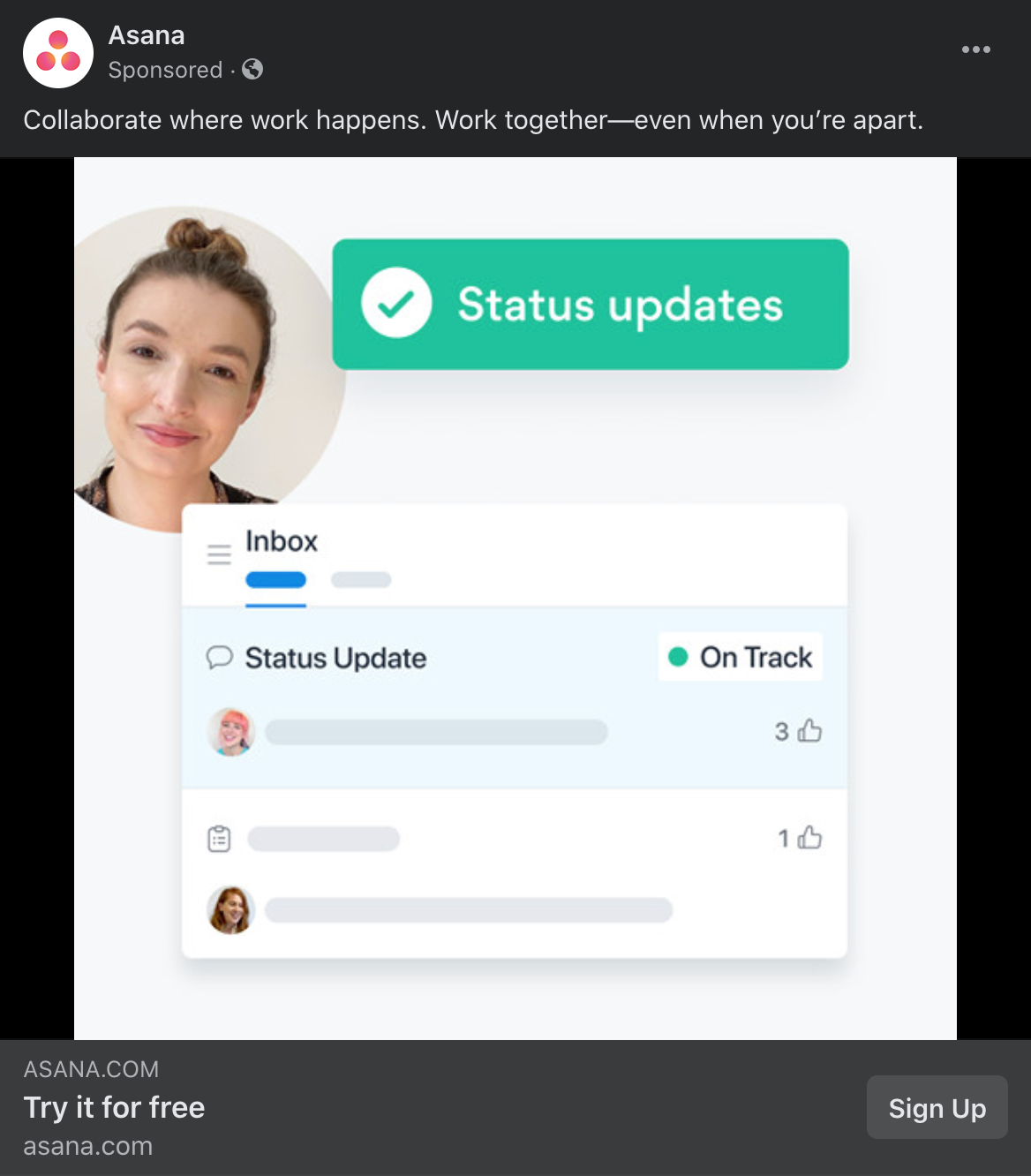
    MailerLite and Asana are the only two retargeting ads I’ve seen so far. MailerLite advertises a blog post in theirs. I wouldn’t recommend this and would go straight to a signup landing page because these visitors are close to the bottom of the funnel.

    Asana is on the right track, though. The ad is clearly driving toward a free trial.

    Defense Against The Dark Ads

    Ok so you’ve launched ads against your competitors but they’re doing the same to you because they read this post. How do you defend against that?

    The fastest way is to set up your own brand ads. Founders are often hesitant when I suggest this because they don’t want to pay for what could be a free organic click. However, they tend to change their mind when I show them a screenshot like this.

    This is a search for Aircall where the first four links are all competitor ads. You don’t get to Aircall until the fold! If you were at Aircall, would you rather see this or pay for your ad to be on top?

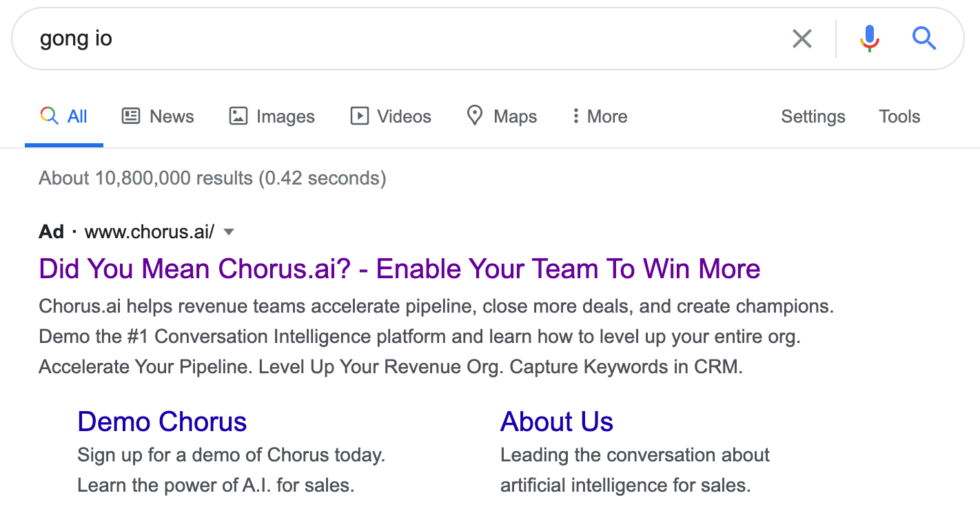
    Or how about suffering the indignity of this ad if you were Gong?

    You could trademark your brand on Google to stop competitors from using it in their ad copy but ads like Chorus will still remain.

    Another benefit of launching your own brand ads is that your competitor will end up spending more per click, especially if they want to retain the top spot. At some point, it may just become economically unfeasible for them to continue targeting you.

    Now, if you’re really tight on cash, you can just advertise for searches that contain words like “alternatives”. I like what Canva has done with its brand ad copy.

    And if it turns into a mutually destructive bidding war, you can always call for a cease-fire. 

    Putting It All Together

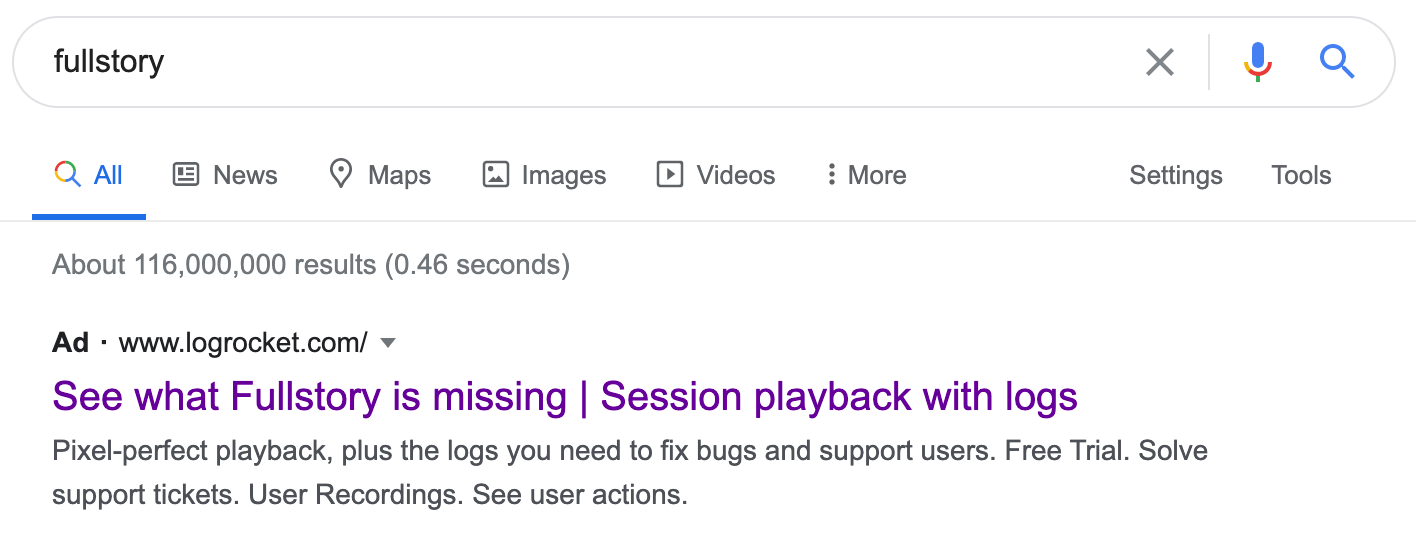
    Here’s a great example that combines the principles I mentioned for ad copy with a consistent landing page experience –

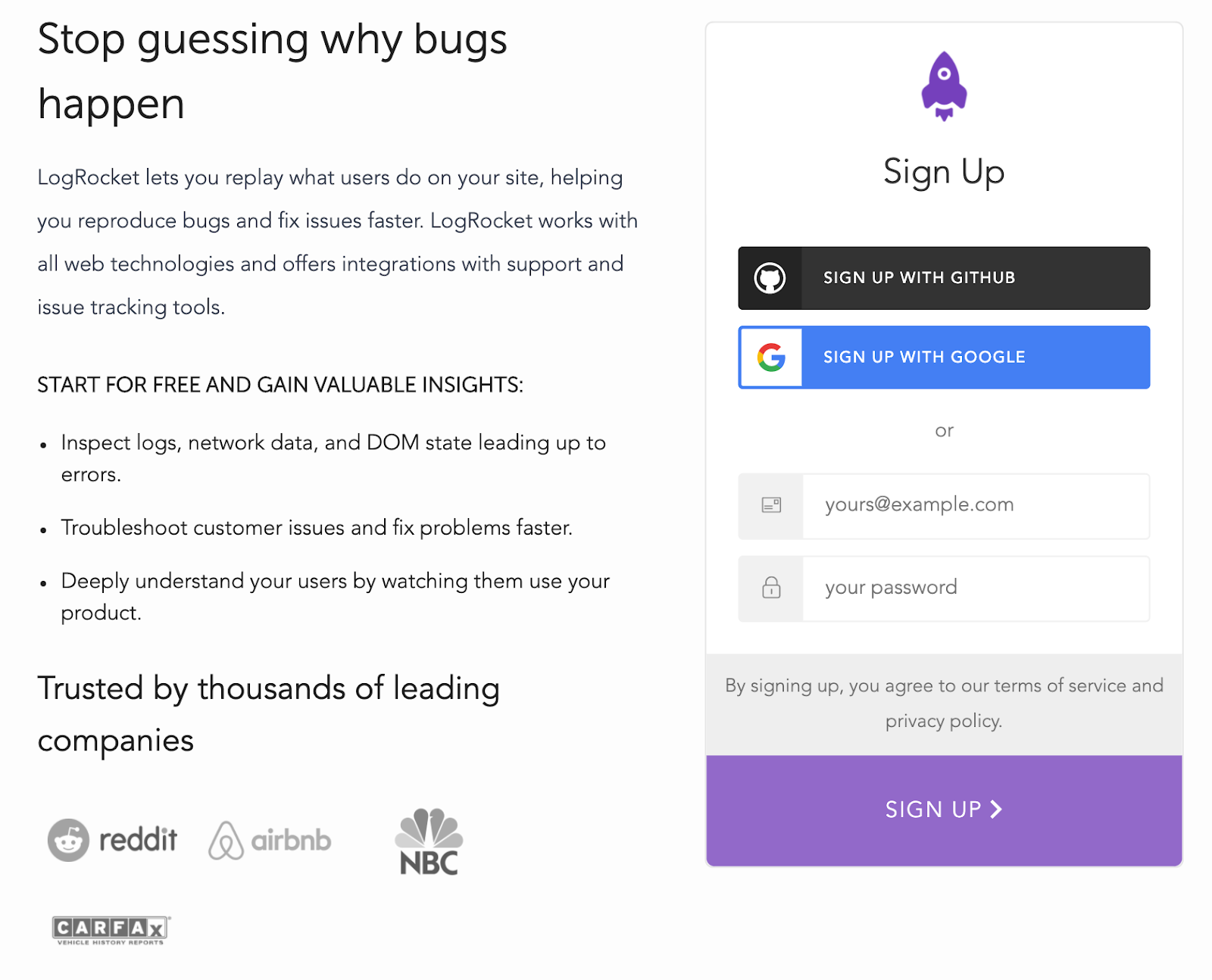
    LogRocket highlights one major differentiating factor between them and Fullstory. The ad copy is specific and personalized. 

    When you click over to the landing page, it stays consistent and has some social proof. What I’d like to see on this page are more specific benefits of using LogRocket over Fullstory and perhaps a quote or two from someone who switched over.

    When done right, competitor ads can be a great source of highly qualified yet affordable leads.

    If you’re setting up ads for your startup, book a free 30-minute consultation with me

  • The Startup Growth Framework: A Tried-and-Tested Process For Building A Scalable Growth Engine

    The Startup Growth Framework: A Tried-and-Tested Process For Building A Scalable Growth Engine

    Updated for 2025

    I originally wrote this blog post in 2020, before most people had even heard of AI. While the core framework I introduce here remains the same, I’ve returned to this 5 years later to update it with actionable tactics for the AI Age.

    I was on a call with a potential client recently and, after he gave me a rundown of his software, I started to brainstorm some ideas with him. Having worked with similar companies before, I had a good idea of his audience and what would work.

    Unfortunately, he kept shooting down every suggestion faster than contestants get eliminated on “The Bachelor.” None of the strategies I proposed—ideas forged from working with dozens of other startups—were good enough.

    Side note: I’m offering free 30-minute brainstorming sessions right now. Find a time here.

    Mind you, I can’t predict exactly what will work for your specific situation. I can only suggest ideas to test (more on this later), yet he dismissed even the notion of testing them. Having exhausted my repertoire of ideas, I finally asked why none of them appealed to him.

    “None of these ideas will 10X my company in the next quarter. I’m looking for 10X ideas,” he said with the conviction of someone who’s watched too many Y Combinator videos on YouTube.

    10X engineers, 10X growth, what’s next? 10X valuations? Oh yeah, I guess that’s just Softbank!

    Ah, so he was looking for the good old silver bullet. That one growth hack that propels your startup into unicorn status. I told him I was good, but not that good (no one is), and respectfully ended the call.

    You see, in our world of instant gratification and “overnight” success, founders tend to look for the silver bullet when it doesn’t exist. More importantly, they ignore the foundational stuff, the boring, tried-and-tested strategies that, when combined, will deliver results over time.

    Like Hiten Shah says, marketing is really about doing the same set of things over and over again. The One Hack doesn’t exist. It’s only by following a systematic process that you’ll get results, and I’ll show you how.

    Why Hacks Don’t Work

    In poker, a common mistake new players make is to go for longshots. They have two cards of the same suit in hand, and one shows up in the flop. At this point, you have a 6.25% chance of getting a flush but new players chase it anyway.

    This is the main problem with focusing on hacks. You’re chasing longshots that may have tremendous upside, but usually all the time, money, and resources you put into it are wasted. 

    And then you need to start over. Do that enough times without big gains, and you’ll be where you are a year later.

    Another problem with trying out the latest growth hack is that it often doesn’t make sense for your business.

    https://twitter.com/aprildunford/status/1248586626143576064

    This is why the best poker players have a process. They only play certain hands when the probabilities are in their favor and they don’t change their strategies because it works for someone else.

    A process will help you build a clear growth engine with strategies that make sense for your company.

    The framework I use is that process.

    PS – This post is 3,000 words long, so here’s a video overview if you prefer

    An Overview Of The Process

    I can’t take full credit for this process. It’s really a combination of various frameworks developed by other experts in the field. I simply combined them into one unified process for my area of specialization – SAAS.

    As always, we start with the customer. The first step is building out a customer persona. The second step, and one that is often overlooked, is mapping out the customer journey to understand their buying process.

    Armed with that information, we can move on to ideation, where we generate highly relevant ideas for channels we want to try out and prioritize the ones with the highest potential.

    Then, we start testing to quantify each channel. This step allows us to determine which one we really want to go all-in on. In poker terms, it helps us get to the double Aces hand.

    And finally, we scale.

    PS – I’ve created templates you can use to follow along and implement my framework.

    Building A Customer Persona

    As Harvey Specter says, when he plays poker, “I don’t play the odds, I play the man.”

    What he means is, even with poorer odds, you can still beat your opponent if you understand them really well.

    Of course, your customer isn’t your opponent, but the principle still applies. You need to understand them really well to figure out what will make them buy your product.

    While every startup and marketer understands this principle, most don’t actually apply it. The pressure to constantly grow MRR supersedes what is seen as an exercise that doesn’t instantly increase revenue.

    But while digging into your persona may not give you that 20% growth you’re looking for this month, it will help you sustain it in the long term.

    There are many excellent resources for creating a customer persona already, so I won’t get into it in this post. However, I do want to share some key aspects you should focus on as they’ll come in handy later in this process.

    To illustrate this, here’s an example of a good customer persona from a company called ClearVoice. They’re a platform for in-house content marketing teams to find vetted freelance writers.

    The top half of the persona is about who this customer is. Attributes such as the age range, job titles, industry, and so on allow us to fine-tune our targeting. So if our ideal customer is a middle-aged executive then, instead of marketing on Tik Tok despite it being so hot right now, we would likely pick LinkedIn.

    I’d also add data around their interests here. Who they follow online, what sites they visit, what books they read, what podcasts they listen to, what shows they watch. This allows us to niche down in our targeting even further.

    The bottom half of the ClearVoice persona is about the customers’ why. It gives us an insight into what they really care about, and allows us to determine the messaging that would appeal to them. We see that Sandy really cares about saving time vetting freelancers, and doesn’t mind the cost, so our marketing should be geared towards “save time” vs “save money”.

    You can have multiple customer personas so you’ll want to do this exercise for each one.

    I know you’re skimming through this section and convincing yourself you don’t really need to spend time building a customer persona, so here’s a personal story to illustrate the importance.

    I once worked with a client that built a platform to connect engineering managers with mentors. I made the mistake of not figuring out the customer persona right at the start. I assumed we should target engineering managers and developed strategies around that. We ran meetups and webinars and created content and ads all around engineering management.

    And while they were indeed the end-user, it turns out they didn’t really care about finding mentors. Their primary goals were finishing the story points for their next code sprint.

    Eventually, we realized we should be targeting the VP of Engineering. Though the VPs themselves wouldn’t use the platform, it was their responsibility to ensure their engineering managers were doing their best work and growing in their careers. And that meant helping them find mentors.

    The moment we switched out marketing to the new persona, things became easier. We were able to cut out a whole bunch of channels that weren’t working and focused on strategies like group dinners that eventually moved the needle a lot more.

    Starting with the persona, even if you think your assumptions are spot on, will save you a lot of time and money in the long run.

    Building Personas With AI

    1. Data Aggregation Layer

    Instead of starting with assumptions, use AI to analyze:

    • Customer Support Transcripts: Feed customer support chats and emails into Claude or ChatGPT to identify common pain points, language patterns, and objections.
    • Social Listening: Use sentiment analysis on social mentions to understand how your potential customers talk about their problems in their own words.
    • Competitive Intelligence: Analyze reviews of competitor products to identify unmet needs and emotional triggers.

    2. Pattern Recognition

    Prompt your AI tool with: “Analyze these transcripts and identify recurring challenges, goals, and objections. Then categorize them by urgency and emotional intensity.”

    3. Persona Synthesis

    Have your AI compile findings into a structured format with:

    • Demographic details
    • Psychographic information
    • Key challenges (ranked by prevalence)
    • Goals and aspirations
    • Decision-making triggers
    • Objections and concerns
    • Preferred communication channels
    • Daily routine touchpoints

    4. Reality Testing

    This is crucial: Cross-reference AI insights with actual customer interviews. Use the AI-generated patterns to create better interview questions like:

    • “Our analysis suggests that [specific pain point] is particularly frustrating. Could you walk me through the last time you experienced this?”
    • “We noticed many people in your role struggle with [common challenge]. How do you currently handle this?”

    5. Continuous Refinement

    Set up an automated system that:

    • Updates your persona document quarterly with fresh data
    • Flags emerging trends or changing priorities
    • Tests messaging hypotheses against persona parameters

    Sample AI Prompt Template

    Analyze the following customer data:
    [Insert transcripts, reviews, support tickets]
    
    Create a comprehensive customer persona including:
    1. Three most common pain points with verbatim quotes
    2. Decision criteria ranked by importance
    3. Information sources they trust most
    4. Triggers that move them from awareness to consideration
    5. Objections that prevent immediate purchase
    6. Language patterns and terminology they use naturally
    
    Format the results in a clear, actionable document optimized for marketing strategy development.

    Remember: AI helps uncover patterns at scale that might be invisible in small sample sizes, but human validation remains essential. The best personas emerge from the interplay between AI-driven pattern recognition and human emotional intelligence.

    Mapping Out The Customer Journey

    It’s rare for someone to wake up in the morning and suddenly decide to buy your enterprise software. If that happens often for your company, let me know, I want to invest. In most cases, though, they go through some decision-making process, the journey.

    While the customer persona answers the ‘who’ and ‘why’, the customer journey is the missing piece that answers the ‘how’ and ‘when’.

    Here’s a quick overview of what the journey might look like for your customer. This is an example for Thinkific, a company I worked at that lets people create and sell online courses. We didn’t actually map out the journey when I was working there, and I developed this entire process only after I left, but I imagine this is what it would look like.

    Problem Unaware

    The journey begins with your potential customer not knowing they have a problem you solve. In Thinkific’s case, for the online blogger persona (they had many personas), it meant that she wasn’t aware that she could be making a lot more money from her blog.

    Problem Aware

    At some point, due to some trigger, she realizes she has a problem. She could be monetizing her blog audience and creating a full-time income. Now she starts doing some research to answer the question, “how can she generate more income?”

    Solution Aware

    As she does her research, she becomes aware of various solutions. She could sell services, or physical products, or online courses, or something else. She decides to try the online course route and needs to figure out how to set one up.

    Product Aware

    As she explores the online course world, she learns of various platforms and tools that allow her to set one up quickly and affordably. There are marketplaces like Udemy, and there are platforms like Thinkific. Which one is best?

    Decision

    In the final step of the journey, after researching all the products, our blogger makes a decision and picks Thinkific.

    The journey does continue after this into retention and referrals, but that’s outside the scope of this post.

    The whole exercise gives us valuable insights into what our customers are thinking about at each step and, by extension, what they care about. This is why there are situations when a direct sales pitch to someone who seems like the perfect customer doesn’t work. They don’t think they have a problem yet.

    Meanwhile, if you’ve ever been in a situation where you’re trialing a software and you know you want to buy it, but you’re redirected to a salesperson who goes into the full sales pitch, you know how frustrating it is. You can’t blame the salesperson, though. They’ve been trained on Glengarry Glen Ross and will always be closing.

    https://youtu.be/AO_t7GtXO6w
    Someone is probably looking at this right now thinking, “this is how I want my company to run.” Spoiler alert: this is not how you want your company to run.

    So when we combine the persona with the journey, we can create campaigns specifically for each stage, knowing who our customers are, where they are online, and what they care about during that stage. Our content, our ads, our entire messaging strategy, and the channels we use, are derived from this.

    One example of this is a startup I worked with that targets high-volume Shopify stores. We realized that if a store was low-volume then they were likely to be pretty happy with a competitor solution. However, once they started doing more business, they’d have problems because those solutions couldn’t handle it.

    That’s when they’d become problem aware and start looking for better software, which meant it would be the perfect time for us to reach out. So instead of blindly marketing to every Shopify store, we monitored their web traffic and reached out when it was the right time. Better leads for less work!

    Tips On Mapping Out The Journey

    I’ve broken the persona and journey into two separate steps in the process but they go hand in hand and you should create them at the same time. The best way to create both is to talk to actual customers. Get on the phone with them and while you’re asking them the questions you normally would for a customer persona interview, throw in some questions around their journey.

    https://twitter.com/jasonlk/status/958737948995813378

    Ask them to think back to before they bought your software. They would have been in the Product Aware stage then. Ask them what other products they were looking at and how they made their decision. Then ask them to take another step back into Solution Aware and find out what solutions they were considering and how they did their research.

    Keep going back until you’ve got the full picture. Do this with at least 10 customers to get a composite view and extract trends.

    Customer Journey Mapping With AI

    Before AI can work its magic, you need some data to feed it:

    • Customer Support Conversations: Transcripts from calls, chat logs, or support tickets
    • Sales Call Notes: What questions do prospects ask? What objections do they raise?
    • Website Analytics: Which pages do people visit before converting? Where do they drop off?
    • User Interviews: Even 5-10 conversations with actual customers can provide valuable insights

    This doesn’t need to be perfect—even partial data will give you something to work with.

    Now let’s put AI to work by having it analyze these conversations to identify the natural progression customers follow. Here’s a prompt you can use with ChatGPT or Claude:

    “Based on these customer conversations, identify:

    1. The initial trigger that made them look for a solution
    2. The main questions they had before considering our product
    3. The key concerns they needed to overcome before purchasing
    4. The deciding factors that finally convinced them to buy”

    Now comes the fun part. Use AI to analyze the journey map you created above and identify specific opportunities:

    “Based on this customer journey map, help me identify:

    1. The biggest drop-off points where we’re losing potential customers
    2. Content gaps we should fill for each stage
    3. The three highest-impact improvements we could make immediately
    4. How we should adjust our messaging for each stage”

    Real-World Example: How We Used This Approach

    For a SaaS client selling to marketing teams, we took their messy support tickets and chat logs and fed them into Claude. We asked it to identify common questions at each stage of the journey.

    The surprising insight? While they were creating tons of content for the Problem Aware stage, their customers were getting stuck in the Product Aware stage with very specific technical questions that weren’t being addressed.

    We created a simple FAQ page addressing these questions, and conversion rates jumped almost immediately. Sometimes the biggest wins come from filling the most obvious gaps!

    AI Journey Mapping on a Budget

    If you’re short on resources, here’s a bare-minimum approach:

    1. Interview 5 customers (record the calls with permission)
    2. Feed the transcripts to ChatGPT with the prompt: “Identify the stages these customers went through before purchasing, what questions they had at each stage, and what ultimately convinced them to buy.”
    3. Create a simple spreadsheet with journey stages and key customer questions
    4. Check your content against these questions to identify gaps
    5. Fill the biggest gap first and measure the impact

    Ideation and Prioritization

    While our persona and journey maps give us excellent insights into which channels we should pursue, we can’t do them all, especially at a startup. Except if you’re backed by Softbank. Then you can do everything and have money left over for free beer.

    With limited resources, we need to pick our battles carefully lest we end up like the amateur poker player. 

    We start by listing out all the ideas we have so far. Many of these come directly from our persona and journey, as listed in the Triggers section of the journey. But you can turn this into a fun group exercise for your marketing team, and even your entire startup team. Have them go over the persona and journey and generate ideas based on that.

    For prioritization, there are multiple methods out there. The ICE framework (Impact, Confidence, and Ease) is a popular one but I’m not a big fan of it because you end up with numbers that are mostly pulled out of your… back regions.

    I prefer instead the much simpler bullseye framework that Gabriel Weinberg suggested in his book, Traction. 

    In the context of this process, all the channels targeting people in the Product Aware stage of the customer journey fall under the Inner Circle.

    The Promising channels are all those that target people in the Problem and Solution Aware stages. Finally, our Long-shots are channels targeting Problem Unaware.

    We may end up with too many ideas in our Inner and Promising Circles, so even within those, I’d further prioritize them starting by channels that a more scalable or more cost-effective to implement.

    Here’s what it ends up looking like for Thinkific based on the triggers from the customer journey exercise. Obviously, it might look different for you.

    AI-Powered Idea Generation

    Start by letting AI help you expand your thinking beyond the obvious channels:

    Tools you can use:

    • GPT-4 or Claude: For general ideation based on your customer insights
    • Midjourney: To visualize concepts (surprisingly useful for marketing ideation)
    • Anthropic’s Claude Sonnet: Especially good at understanding industry nuances
    • Ahrefs with GPT integration: To identify content gaps your competitors have missed

    Here’s a prompt template that works surprisingly well:

    “Based on our customer persona [briefly describe persona] who is currently in these journey stages [list stages], generate marketing channel ideas that:

    1. We might not have considered before
    2. Have shown strong results for similar businesses in our industry
    3. Would specifically address the pain points of [key persona challenge]
    4. Could be tested with less than $1,000 and two weeks of effort”

    Testing Ideas

    Even with our research and prioritization, we don’t want to go all-in on the best idea on our list. Instead, we need to test each one on a smaller scale, calculate the ROI on them, and then pick the one with the best ROI to scale up.

    A good framework for this part is the Growthhackers high tempo testing process.

    We’ve already done the unbridled ideation and prioritization piece in the previous section. Now it’s time to launch tests on each one. 

    First, we need to set up a hypothesis. This needs to be specific, measurable, realistic, and sensible. SMRS. I just made that acronym up.

    The hypothesis states what you expect will happen, and the metric you will need to determine if the test was a pass or fail. 

    So let’s say you want to test Google Ads. Your hypothesis would be something like “With a budget of $1000 over the coming week, I expect to generate 10 leads at a cost of $100 per lead.”

    As you can see, this hypothesis is very specific and measurable. We’ll know if it passes or not if we hit our target numbers. It’s realistic for many companies to generate $100 CPLs on Google Ads. Whether it’s sensible or not depends on your customer LTV. You should be trying for a 3:1 ROI for any of your experiments.

    Always make sure you have the hypothesis and the means to track it accurately before you run your experiment.

    One of the ideas we’d come up with at one client was to create an online course as a lead magnet. It had worked well at other companies I’d worked with.

    However, instead of creating a full-blown course with high production quality, we decided to test an email course and screencast videos. We set a target for our signup rate.

    We found that people weren’t interested in taking the course so we dropped it in favor of running webinars, which ended up working better. This saved the company time and money on creating the whole course.

    Once you’ve found a winning strategy, it’s time to scale that up.

    Scaling Up

    This is where we get our 10X results. We go from The Rock bringing down Triple H in WWF to Dwayne Johnson nearly bringing down a helicopter with his bare hands in Hobbs and Shaw.

    Most startups really only need one or two channels at scale to grow rapidly. This is why at the start of this post I said you don’t need to be playing every hand chasing long-shots. By following this process we’ve systematically figured out our highest potential channels and we can focus on those until we saturate them.

    There are three ways to scale.

    Automate

    Start by breaking down your strategy into its component pieces. For example, if you’ve decided to scale content marketing, you’ll have strategy (like identifying topics to write about), writing the post, editing and publishing it, and promoting on social media.

    This is a high-level breakdown but even here you can identify pieces like promoting on social media that can be automated with tools.

    With one client, we had identified that webinars was a good channel. To set one up we would need to invite an expert as a guest speaker, set up a landing page with a signup form, connect it to our webinar platform, and then email the link to our list.

    Most marketers do this manually, and I myself had done it manually in the past. This time, I wanted to scale and do multiple webinars a month, so we automated most of it.

    We had a list of experts in Coda who we would automatically receive an invite email with the click of a button. If they said yes, another click would activate the webinar set up via Zapier. It would create a new landing page on Webflow dynamically, create a new Zoom webinar, connect the two, and then email our list with the link.

    You’ll notice that all of this was done without coding. There are a ton of no-code tools out there that allow you to set up automated processes like this.

    Of course, now with AI and AI Agents, it has become even easier to automate large parts of your marketing processes. Of course, that would take an entirely new blog post, but if you’re interested in learning more, feel free to contact me.

    Outsource

    Anything that can’t be automated will need to be done by a human. If it’s a task that doesn’t require knowledge of your product or brand, it can be outsourced.

    In the content marketing example, this would be the content writing piece. Many companies also outsource ad management and PR. Just make sure you have someone in-house to manage your freelancers or agencies and ensure they stay on brand.

    Two excellent resources for finding high-quality marketers to outsource to are GrowthMentor and Growth Collective.

    With GrowthMentor you can find experts in marketing who can get on calls to guide you or give you specific advice. And if you want to hire someone for a project, Growth Collective has a curated list of top marketers.

    Hire/Delegate

    The final step, if you’re in the leadership team, is to delegate the remaining tasks to someone on your marketing team or to hire for that role.

    For our content marketing example, we’re left with the strategy, and editing and publishing tasks.

    Early on at Thinkific, we realized influencer partnerships were a powerful channel. To scale that up, we hired someone who’s sole job was to connect with influencers and get them to promote us. That one hire fueled a lot of our early growth, and freed up my time to activate other channels.

    Conclusion

    By following a systematic approach, you’ll escape the trap of always having to find the next 10X growth hack. Instead of constantly throwing darts at the wall and hoping something sticks, you’ll know exactly what to be doing to grow every week.

    More importantly, you’ll ensure your long-term growth. Because, unless you’re defrauding your investors like Theranos, you probably want to still have a company next year.

    I’ve created templates you can use to implement my framework here. And if you need any advice, reach out to me!

  • Marketing A SAAS Product During A Crisis

    Marketing A SAAS Product During A Crisis

    Before we begin I want to let you know that this isn’t a COVID specific post. I mean, yes, it’s timely (that’s why I’m writing this) but the principles I cover in this post can be applied to any moment of crisis your SAAS startup faces, whether it’s a global pandemic or just a temporary weakness in your sector.

    A client of mine recently mentioned that their board of directors had advised them to cut all sales and marketing spend. They went so far as to suggest laying off the entire marketing and sales teams.

    https://twitter.com/jasonlk/status/1252807814004662279

    Their rationale was that it’s a tough time to sell software, as buyers were cutting down on spending, so it’s better to focus on supporting existing customers and not waste money on marketing.

    Like Jason, I’m seeing it across the board from past, present, and prospective clients. One company, an email marketing solution, even mentioned they were afraid to spend more on advertising, despite the fact that their competitors were seeing spikes in signups.

    That reminded me of this famous quote –

    Be fearful when others are greedy and greedy when others are fearful.

    Warren Buffet

    How does that apply to your SAAS, and how can you grow when things look grim? Well first, let’s figure out what kind of product you sell – obvious or non-obvious.

    Obvious Or Non-Obvious

    Simply put, given a certain environment, an obvious product is something that everyone predicts will succeed in that environment, usually a product that solves a first-order consequence of the crisis. A non-obvious product is one that can succeed in that environment but it’s not immediately apparent how, because it solves a second or third-order problem.

    An example of an obvious product, during the current global pandemic, is Zoom, the video conferencing software. The first-order problem is that companies are working from home and employees need a way to communicate. Zoom solves that problem.

    Another example is Slack. Again, as more people work from home, Slack is a must-have to enable instant communication. Stewart Butterfield recently wrote an interesting Twitter thread on how the crisis has impacted their business.

    https://twitter.com/stewart/status/1243000487365861376

    A second-order consequence of the quarantine is that many businesses have had to shut down or lay off staff. This, in turn, leads to an uptick in unemployment claims. Thus, a product that helps governments process unemployment claims faster, becomes a non-obvious product. More on this later.

    Note that the obviousness or non-obviousness of a product is dependant on the current environment. The pandemic has lead to people working from home, which is why Zoom and Slack are obvious products.

    However, if we turn the clock back to the previous crisis, the depression of 2008, Zoom and Slack would not be obvious products, though they might have been non-obvious.

    If your company doesn’t make an obvious product, chances are that you make a non-obvious product. You just need to look carefully.

    How To Market If You’re An Obvious Product

    If you’re Zoom in 2020, you can do no wrong. While the rest of the market tanked, Zoom’s rise doesn’t seem to be stopping, despite issues about its security.

    But for every Zoom, there are other products in the same space that haven’t done quite as well. The product itself has a lot to do with it, but that doesn’t fully explain it. There are alternatives to Zoom with similar bells and whistles, like backgrounds, great UI, built-in virality and so on.

    Before the COVID outbreak and the lockdowns, Zoom wasn’t a household name. However, they did have a large customer base in tech companies. Most tech companies, if they didn’t already use Zoom, knew about it.

    The moment the lockdowns started happening, tech companies were the fastest to shift to working from home. And because Zoom already had a dominant mind share position, they defaulted to using it.

    That initial spike, when compounded with its virality, social media, and PR, then snowballed into mind share in the broader market – non-tech companies and consumers.

    So as an obvious product, your job is to make sure you’re top of mind for your market. Awareness is the name of the game here. Once customers know about you and trust you, the sale is easy. They obviously need you.

    If you don’t already have a sub-category cornered like Zoom, you can still build up that awareness pretty quickly. Here are some strategies – 

    PR

    I have never been a fan of big, expensive PR campaigns, and I rarely recommend it to the startups I advise. But these are unprecedented times and for large-scale awareness campaigns, it’s hard to beat a good PR strategy. Again, look at Zoom. 

    The key here is to create a campaign that addresses the issues caused by the current crisis. The Uber Eats zero-dollar delivery fee campaign, Google Stadia extended free trial, Disney virtual rides, are all examples of this.

    Even if your company is not that big, you can still do something news-worthy to get media attention. A great example is ConvertKit’s Creator Fund. They put together a $50,000 fund to support content creators (their target audience) during this crisis. Many other influencers and small PR sites promoted it.

    Advertising

    With traditional companies pulling back on advertising, the costs have dropped dramatically. Again, I usually wouldn’t suggest putting ad dollars behind broad awareness campaigns, but as an obvious product, it makes sense.

    Promote content to lookalike audiences on Facebook and Instagram. Create display ads on Google Display Network, and video ads on YouTube.

    On Google Search, target all your buyer intent keywords, brand keywords, and competitor keywords.

    I’ll be writing an entire post on how to run profitable ad campaigns for your SAAS, but for now, you can get my templates to help you structure your campaigns.

    Partnerships

    The Convertkit campaign wasn’t just good PR. It also harnessed the power of partnerships. They roped in other software products to contribute to the fund, helping the fund grow and generate even more PR. Of course, the partners benefited from the PR as well, so it was a win for everyone.

    One of my favorite ways of marketing via partnerships is using webinars and virtual summits. The virtual summit has become popular with every IRL event getting canceled, and it allows you to tap into your partners’ audiences for outsized exposure and awareness.

    How To Market If You’re A Non-Obvious Product

    As a non-obvious company, the first thing you notice is the demand dropping off. And your first instinct, like the client I mentioned in the introduction, is to cut sales and marketing.

    What’s really happening is that your target market has changed. But there is an audience out there who needs your product now more than ever. You just need to figure out who that is, and it’s usually by following the orders of consequence.

    Earlier, I mentioned a second-order consequence of the current crisis was businesses shutting down, including restaurants. For CFO2, a company that provides analytics tools for multi-unit restaurants, this could be fatal. Most of their potential customers, well-known sit-in restaurants, are closed and demand plummeted.

    However, there are still many restaurants delivering food online, and they need analytics now more than ever to cut costs. So CFO2 may have lost its original client base, but there’s a new audience they can target.

    Figure Out Your New Targets

    Before you can start marketing, you need to figure out who you’re marketing to, and it may not be the same audience you’d go for during normal times.

    One way to find this out is by following the orders of consequence. If you know that there’s going to be more businesses working from, or that local businesses will shut down, or that unemployment will rise, what are the problems that follow and how does your product solve those problems?

    Let’s look at Eventbrite. With no one running offline events, 90% of Eventbrite’s revenues vanished, forcing them to lay off half their staff. However, the second-order consequence of events getting shut down was that organizers moved them online. Had Eventbrite switched to target the virtual events market, they could have avoided this.

    On the other hand, HeySummit, a virtual conference software, is seeing a big uptick in usage. They quickly targeted the conference organizers that Eventbrite should have and are now reaping the benefits.

    Adapt Your Messaging

    Now that you know who to target, you’ll need to adapt your messaging to appeal to them. More specifically, talk about the problems you solve that they’re experiencing because of this crisis.

    Let’s take a look at SeamlessDocs, a software that helps governments convert PDF forms into digital forms. Having understood that they need to target government agencies on the frontlines of the COVID crisis, they whipped up a new feature in their software that allows government agencies to create custom Coronavirus portals.

    The messaging here is very specific to the problems government agencies face right now – handling a larger than average volume of queries from citizens. With the Portal feature, Governments can create a help section of sorts on their websites for citizens to find the resources they need.

    Start Marketing

    With the new targeting and messaging, we can finally get back to the marketing strategy. Most crises are short-lived (relatively speaking), so I’m partial to short-term strategies here. 

    Just as with Obvious products, advertising and partnerships are two powerful channels. Remember that with ads you may need to create entirely new campaigns, with new targeting rules for audience and keywords, and new messaging.

    Another strategy is creating small products or tools as marketing channels, much like the Coronavirus Portal by SeamlessDocs. The idea here is to build a tool that helps customers with a problem they’re facing now, but can be offered for free and doesn’t give them the kitchen sink. The ones who can’t afford it can use the free tool, while those who can will upgrade to the full version of your product.

    COVID Consulting

    I’m providing free 30-minute sessions during this period to SAAS companies. In this session, I’ll help you understand if you’re a non-obvious product and what strategies you can execute to keep growing.

    PS – You can learn more about me here and check out my references.